WorkBee CNC Limit Switches & Wire Routing 8
2.2 Wire Routing
2.2.1 Z-Axis Limit Switch Wiring
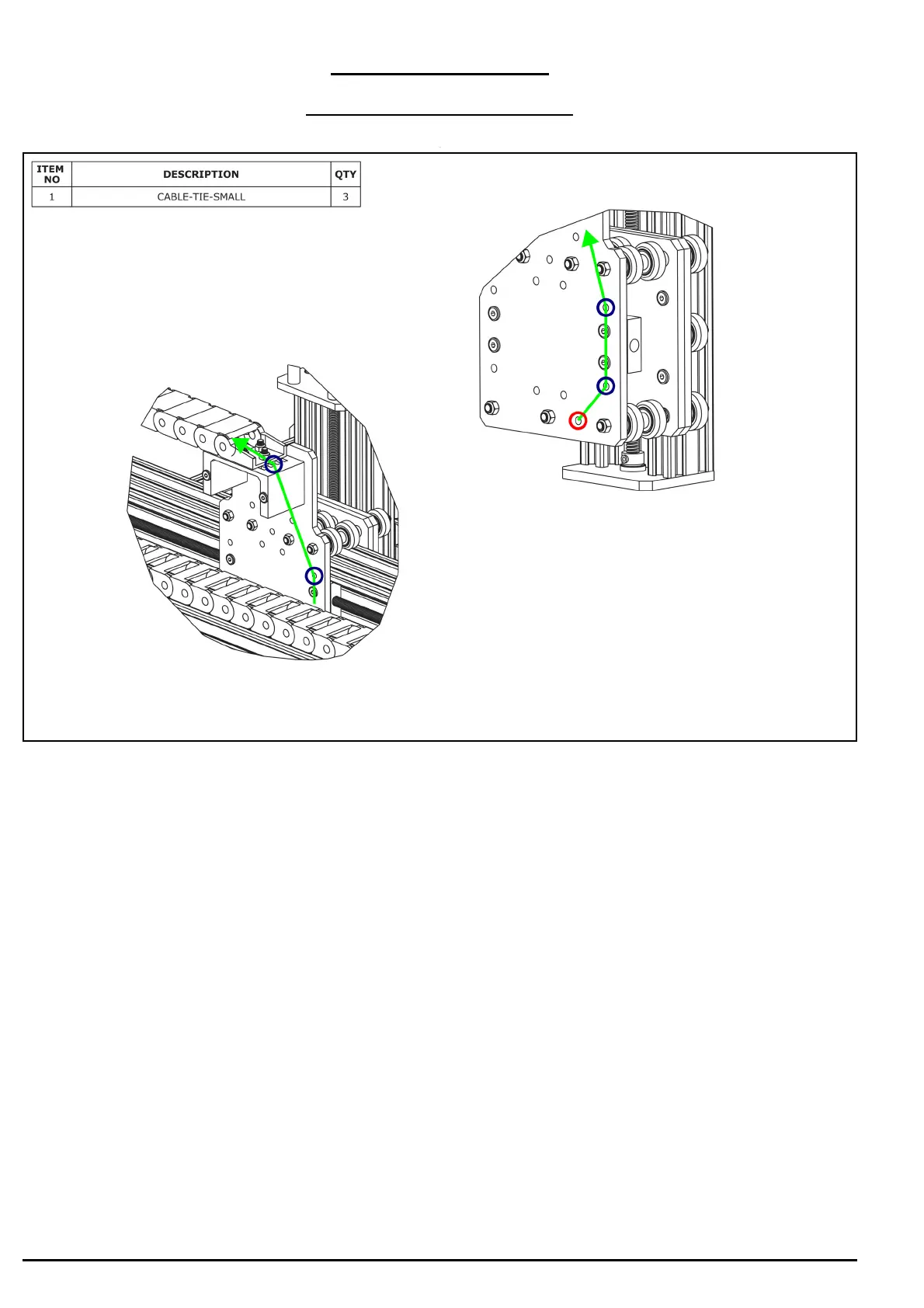
A. The Z-Limit-Switch sits in-between two sets of wheels. Directly opposite there is a
hole. Feed the wires through this hole (Red circle above). Then as shown by the green
line above bring the Z-Limit-Switch wires up the X-Plate-Back, and feed it through the
X-Drag-Chain. Secure the wires using Cable-Tie-Smalls to the points marked with blue
circles above. To stop it snagging on anything the wire should be pulled taught.


 To Next Page