USE AND MAINTENANCE INSTRUCTIONS
MANUALE DI USO E MANUTENZIONE
26
4) ELECTRONICS
Electronics for gangway management
Model 2ML
- Electronics in IP65 box sealed
- Frontal dashboard with the following visualizations: digital
panel status, solenoid valve output status, electronic led
signalling on/off, programming led, programming push-button
- Keyboard connection with IP68 connector for speedy wiring;
- Connection for solenoid valves with IP68 for speedy wiring
- Connection for electric power
- Fuse lodged on external wall
Technical characteristics:
- From 12 to 30 V d.c. power supply
- Dimensions: 250 x 200 x 95 mm
- ABS box with external wings of fastening
- Frontal dashboard
- Programming remote controls from frontal (max 10)
Remote controls: programming and cancellation
“Pass control” is extremely safe because uses a “rooling code”
communication system with personal protocol.
Programming remote controls
1 Push the “prog” button (window 2)
2 The yellow led
will activate itself in order to confirm that you
are in the programming page
3Pr
ess a whichever button of the remote control to be programmed
4 The central will emit 4 tweets and the yellow led will switch
off after a short flash as confirmation of the successful
programming
5 Repeat the procedure from point 1 for the programming of new
remote controls (max10)
Cancellation remote controls
1 Hold down the “prog” button (window 2) for 15 seconds
2
The yellow led of programming will switch during the 15 seconds
3 A tweet will confirm the successful cancellation of all the
remote controls.
Activate the central:
At the same time press OFF and LIGHT on digital panel until the
ignition of the led green.
Forced extinction:
To press OFF until the extinction of the led green.
Auto off:
Activating the central a timer will start and activate the keyboard
for 120 second from the last movement. After this time the key-
board will be deactivate.
Signaling of anomalies:
When the central is OFF the fast intermittence of the green Led (3
blink) indicates the continuous pressure of a whichever controls of
the keyboard. In this case, for safety reasons the keyboard will be
deactivate.
Controls reversal:
Pressing at the same time the key IN + OUT GANGWAY for 10
seconds makes possible to invert the sense of the arrows on the
keyboard. In order to confirm the reversal the led ‘OFF‘ will
blink six times with six tweets from the box.
MAKE SURE THAT THE CONNECTORS FASTENING RING
NUT CLIPS INTO THE FINAL NOTCH,
SO THAT THEY CANNOT BE DISCONNECTED
BY VIBRATIONS.
ASSICURARSI DI FAR FARE LO SCATTO FINALE ALLA
GHIERA DI FISSAGGIO DEI CONNETTORI, ONDE
EVITARE CHE EVENTUALI VIBRAZIONI POSSANO
DISCONNETTERLI
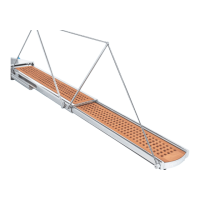
Transom gangway
Passerella esterna
EDITION OF 08/2008
4) ELETTRONICA
Modello 2ML
- Elettronica in contenitore IP65 sigillato.
- Cruscotto frontale con le seguenti visualizzazioni: stato
comandi tastiera, stato uscite elettrovalvole, led segnalazione
elettronica accesa o spenta, led di programmazione, pulsante
programmazione.
- Collegamento tastiera con connettore IP68 per cablaggio rapido.
- Collegamento elettrovalvole con connettore IP68 per
cablaggio rapido.
- Collegamento per alimentazione elettrica.
- Fusibile alloggiato su parete esterna.
Caratteristiche tecniche:
- Alimentazione da 12 a 30 V.dc.
- Dimensioni 250 x 200 x 95 mm.
- Contenitore ABS con ali di fissaggio esterne
- Cruscotto frontale.
- Programmazione telecomandi da frontale (max 10)
Programmazione e cancellazione telecomandi:
Pass control è estremamente sicura in quanto utilizza un sistema
di comunicazione rolling code con protocollo personale.
Programmazione telecomandi:
1 Premere il tasto prog (finestra 2 )
2 Si accenderà la spia gialla a conferma che siete in
programmazione.
3Premere un qualsiasi tasto del telecomando da programmare.
4 La centrale emetterà 4 “bip” e si spegnerà il led giallo dopo un
breve lampeggio a conferma dell’ avvenuta programmazione.
5 Ripetere l’operazione dal punto 1 per l’apprendimento di nuovi
telecomandi (massimo 10 ).
Cancellazione telecomandi.
1
Premere il tasto prog (finestra 2) in continuazione per 15 secondi.
2
Si accenderà la spia gialla di programmazione durante i 15 secondi.
3
Un “bip“ vi confermerà l’avvenuta cancellazione di tutti i telecomandi.
Accensione centrale:
Premere contemporaneamente i tasto OFF e LIGHT della tastie-
ra fino all’accensione del led verde.
Spegnimento forzato centrale:
Premere il tasto OFF fino allo spegnimento del led verde.
Autospegnimento:
Attivando la centrale parte una temporizzazione che abilita l’inte-
ra tastiera per 120 secondi dall’ultima movimentazione. Dopo
questo tempo la centrale disabilita la tastiera.
Segnalazione di anomalie:
A centrale spenta l’intermittenza veloce del led verde (3 lampeg-
gi) indica la pressione continua di un qualsiasi comando operati-
vo della tastiera, in tal caso per ragioni di sicurezza viene disabili-
tata la tastiera.
Inversione comandi:
Premendo contemporaneamente il tasto ENTRA + ESCI passe-
rella per 10 secondi è possibile invertire il senso delle frecce sulla
tastiera, a conferma dell’avvenuta inversione lampeggerà il led
OFF sei volte accompagnato da sei beep in centrale.



 To Next Page