98 Instruments and controls
Selecting menus and functions
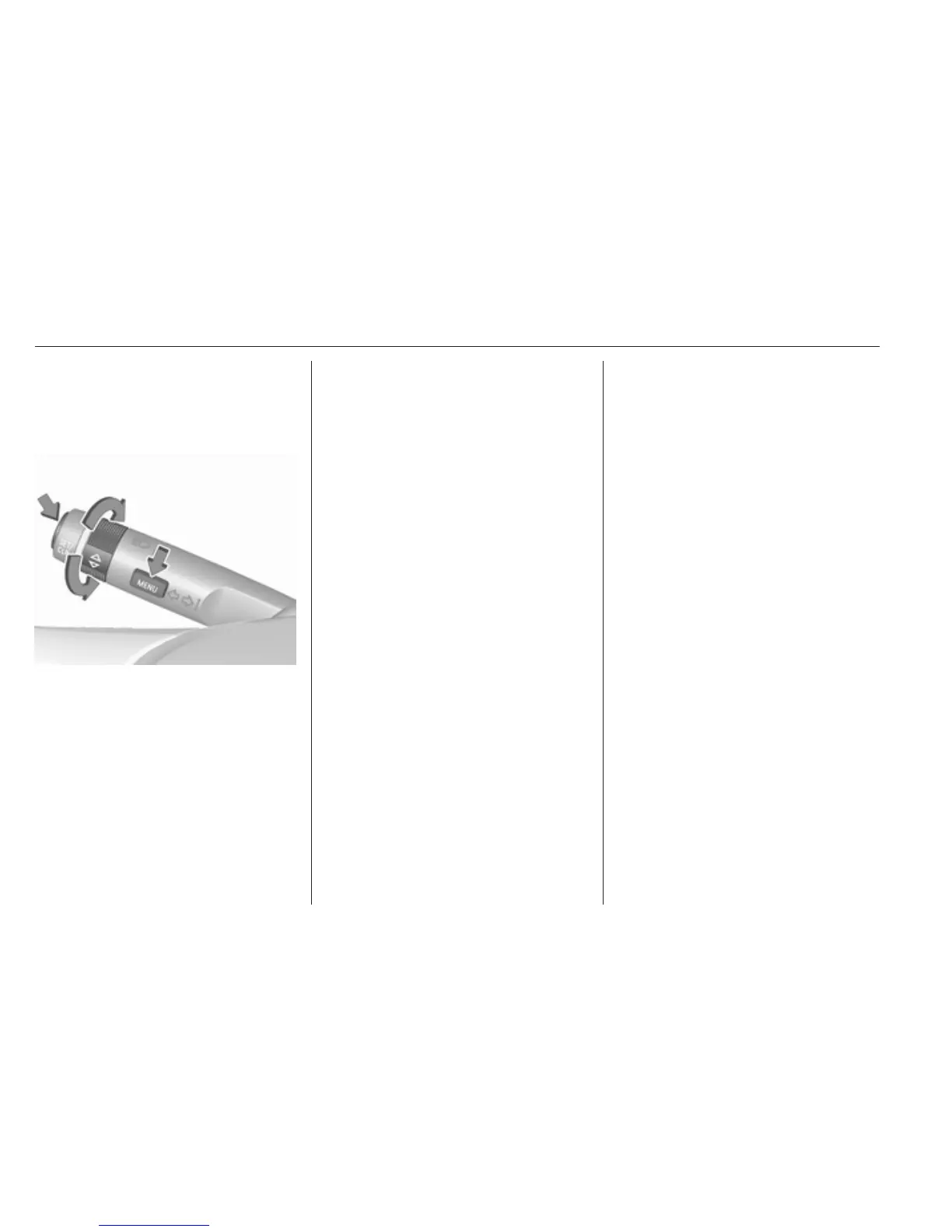
The menus and functions can be
selected via the buttons on the turn
signal lever.
Press MENU to switch between the
main menus or to return from a
submenu to the next higher menu
level.
Turn the adjuster wheel to select a
submenu of the main menu or to set
a numeric value.
Press SET/CLR to select and confirm
a function.
Vehicle and service messages are
popped-up in the Driver Information
Centre if required. Confirm messages
by pressing SET/CLR. Vehicle
messages 3 103.
Trip/Fuel information
Possible pages are:
● digital vehicle speed
● trip odometer
● average fuel economy
● average vehicle speed
● instantaneous fuel economy
● fuel range
● fuel range LPG version
● timer
● outside temperature
Selection and indication is different
between Midlevel display and Uplevel
display.
Digital vehicle speed
Digital display of the instantaneous
speed.
Trip odometer
Trip odometer displays the current
distance since a certain reset.
Trip odometer counts up to 9999 km
and then restarts at 0.
Turn the adjuster wheel to select
between trip odometer 1 and 2 for
Uplevel display.
To reset, press SET/CLR for a few
seconds while viewing this page.
The information of trip page 1 and 2
can be reset separately while the
respective display is active.
Average fuel economy
Display of average consumption. The
measurement can be reset at any
time and starts with a default value.
To reset, press SET/CLR for a few
seconds while viewing this page.
The information of trip page 1 and 2
can be reset separately while the
respective display is active.
On vehicles with LPG engines:
Average consumption is indicated for
the currently selected mode, LPG or
petrol.



 To Next Page