158 Driving and operating
Press V, the current setting is shown
on the Driver Information Centre.
Press V repeatedly to change the
alert sensitivity. The selected setting
is also displayed in the Driver
Information Centre.
Alerting the driver
The vehicle ahead control indicator
A illuminates green in the instrument
cluster when the system has detected
a vehicle in the driving path.
Caution
The colour lighting of this control
indicator does not correspond to
local traffic laws on following
distance. The driver bears full
responsibility for maintaining safe
following distance according to
applicable traffic rules, weather
and road conditions etc. at all
times.
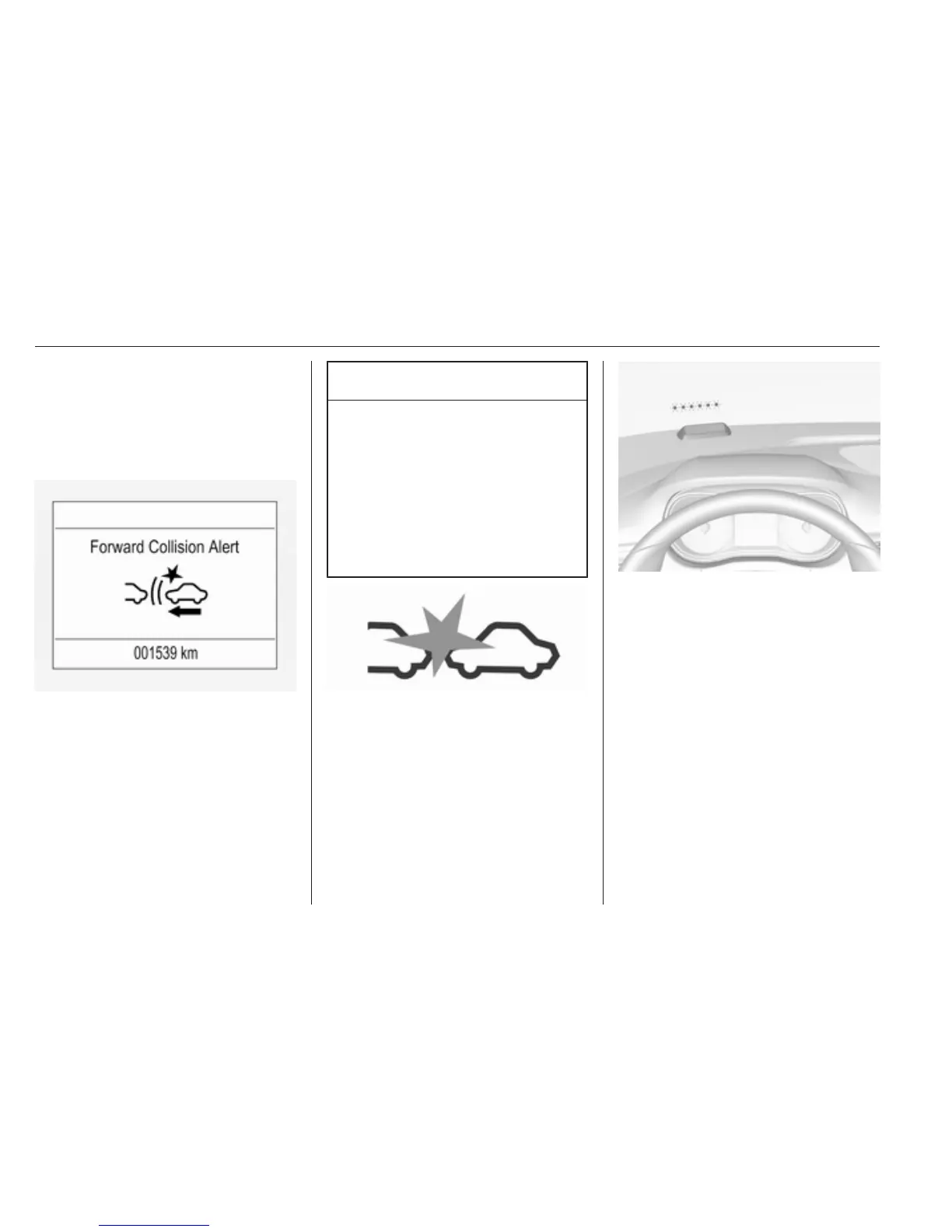
When the time to a potential collision
with a vehicle in front gets too small
and a collision is imminent, the
collision alert symbol pops-up in the
Driver Information Centre and the
driver gets notified by a flashing red
LED stripe which is projected on the
windscreen in the driver's field of
view.
Simultaneously a warning chime
sounds. Depress the brake pedal and
steer the vehicle, if it is required by the
situation.
Deactivation
The system can be deactivated.
Press V repeatedly until the following
message appears in the Driver
Information Centre.



 To Next Page