174 Driving and operating
Additionally, the currently valid speed
limit is displayed permanently in the
lower line of the Driver Information
Centre. In case a speed limit with
addon is available, a + symbol is
displayed in this area.
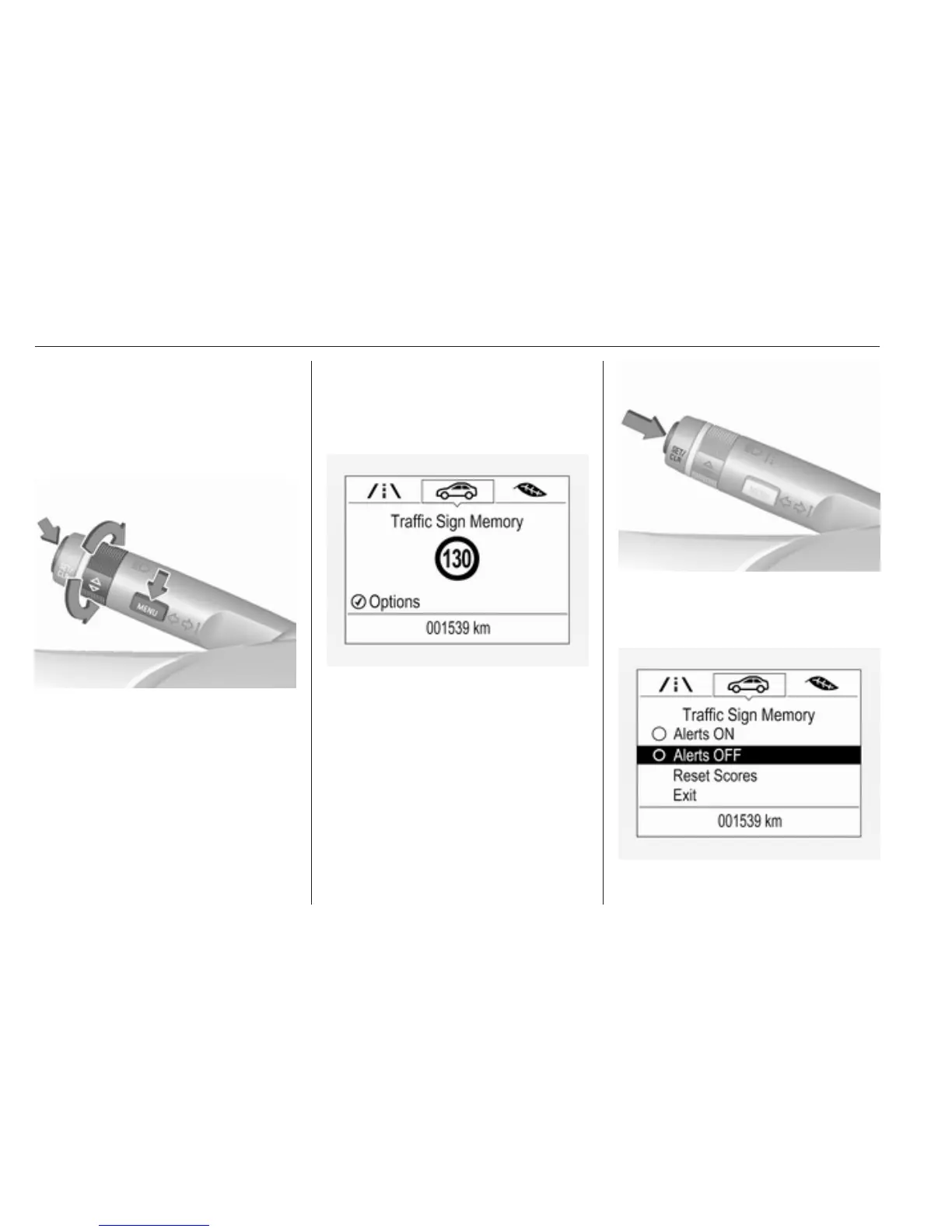
Choose ? via MENU and select
traffic sign assistant page with the
adjuster wheel on the turn signal lever
3 97.
When another page on the Driver
Information Centre menu was
selected and then traffic sign
assistant page is chosen again, the
last recognised traffic sign will be
displayed.
Alert function
The alert function can be activated or
deactivated in the setting menu of the
traffic sign assistant page.
Once activated and when the traffic
sign detection page is currently not
displayed, newly detected speed limit
and no passing signs are displayed
as popup alerts in the Driver
Information Centre.
When traffic sign assistant page is
displayed, press SET/CLR on the turn
signal lever.



 To Next Page