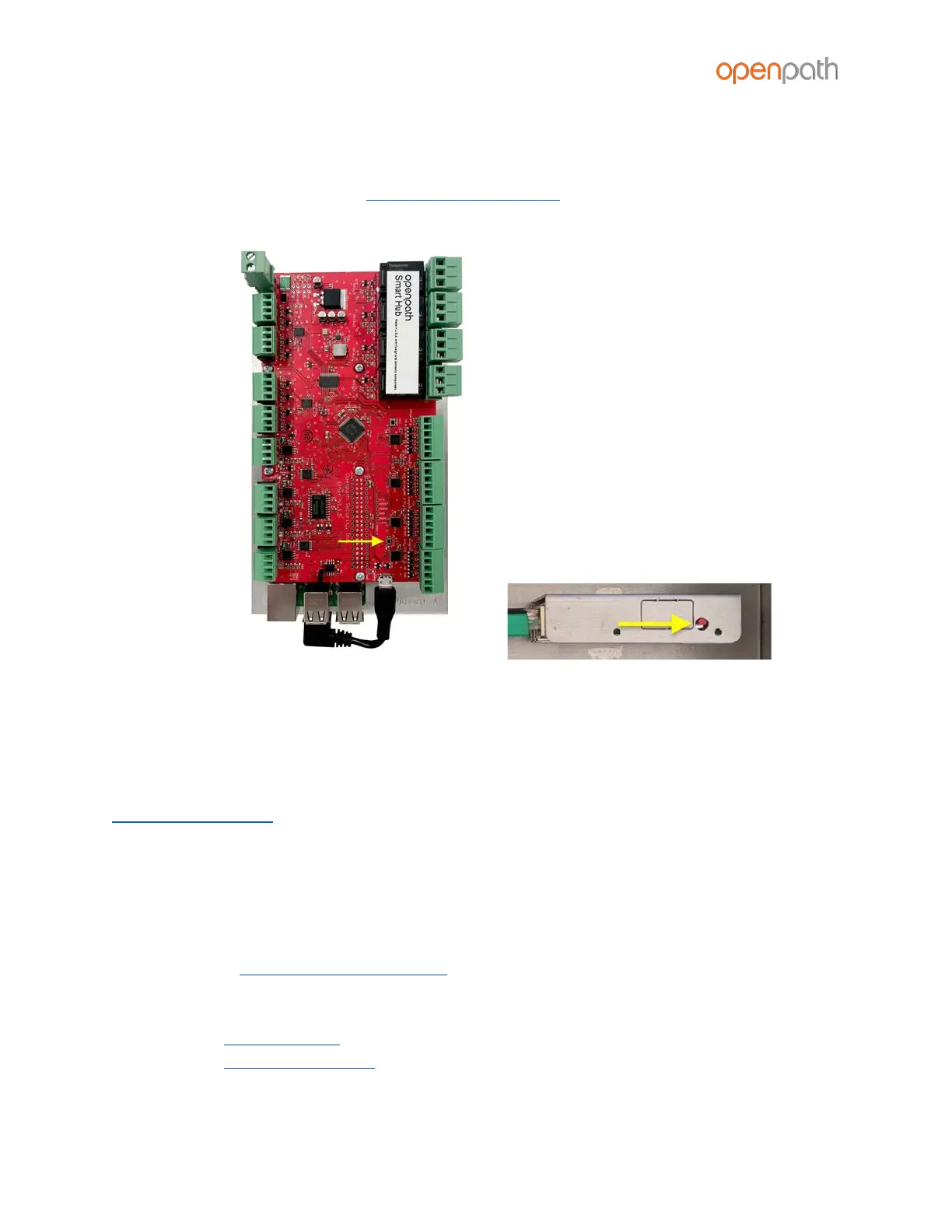
3. While still holding down the ADMIN button, reconnect the power, and continue
to hold the button for another 15 seconds. You should see two POWER LEDs light
up in the top left corner.
4. Wait 15 minutes before PROVISIONING THE ACU
Figure 22: ADMIN button on Controller Board (left) and Core Board (right)
PROVISIONING THE ACU
Provisioning the ACU means registering it in the Control Center and getting it up and
running with the latest firmware. You will need to re-provision in the case of
RESETTING THE ACU.
Note: If you’re provisioning ACUs for a customer account, the customer org will need
to be created by Openpath first.
REQUIREMENTS
● Meet all NETWORK REQUIREMENTS
● Connect the ACU to the Internet via Ethernet
● Install the Open Admin app
○ iOS App Store
○ Google Play Store



 To Next Page