4 The Information Company
• PCIe write blocking, compatible with Tableau TDA7 series of PCIe SSD adapters
• Read/write mode capability for all device ports, controlled via internal DIP switch
• Improved write block and read/write mode visibility via new lock/unlock LED
indicators
2.2 Improved performance
Performance improved for all device ports by at least 10%, with some device ports
improving more than 370% compared to the previous generation model, Tableau
Forensic Combo Bridge T356789iu. The R2 hardware version of this design (3.0 PCB
version or greater, as indicated by the R2 suffix in TFU) has a new, custom-designed
SAS host controller, which provides further SAS and SATA performance improvements
on the combination SATA/SAS port (Gen 3 SATA and Gen 2 SAS support, both running
at 6 Gbps).
3 Installation
3.1 Mechanical and cabling considerations
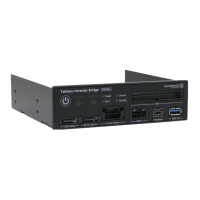
The Universal Bridge fits in a standard half-height computer drive bay, using standard
mounting screws. Specific dimensions and weight information is shown in the table
below.
5.875 in. (L) x 5.75 in. (W) x 1.625 in. (H)
The unit must be powered by two SATA power connectors (denoted 1 and 2 in the image
below) from the host computer power supply. Both SATA power connectors can be from
the same cable, as long as your power supply provides adequate voltage regulation, but
the Universal Bridge should be the only device powered by this cable. If your Universal
Bridge does not power suspect devices properly, we recommend using SATA power
connectors from two separate power supply cables.
Connect the unit to a dedicated channel of a USB 3.0 controller on the host computer
using a high-quality USB interface cable (connector 3 in the image below).


 To Next Page