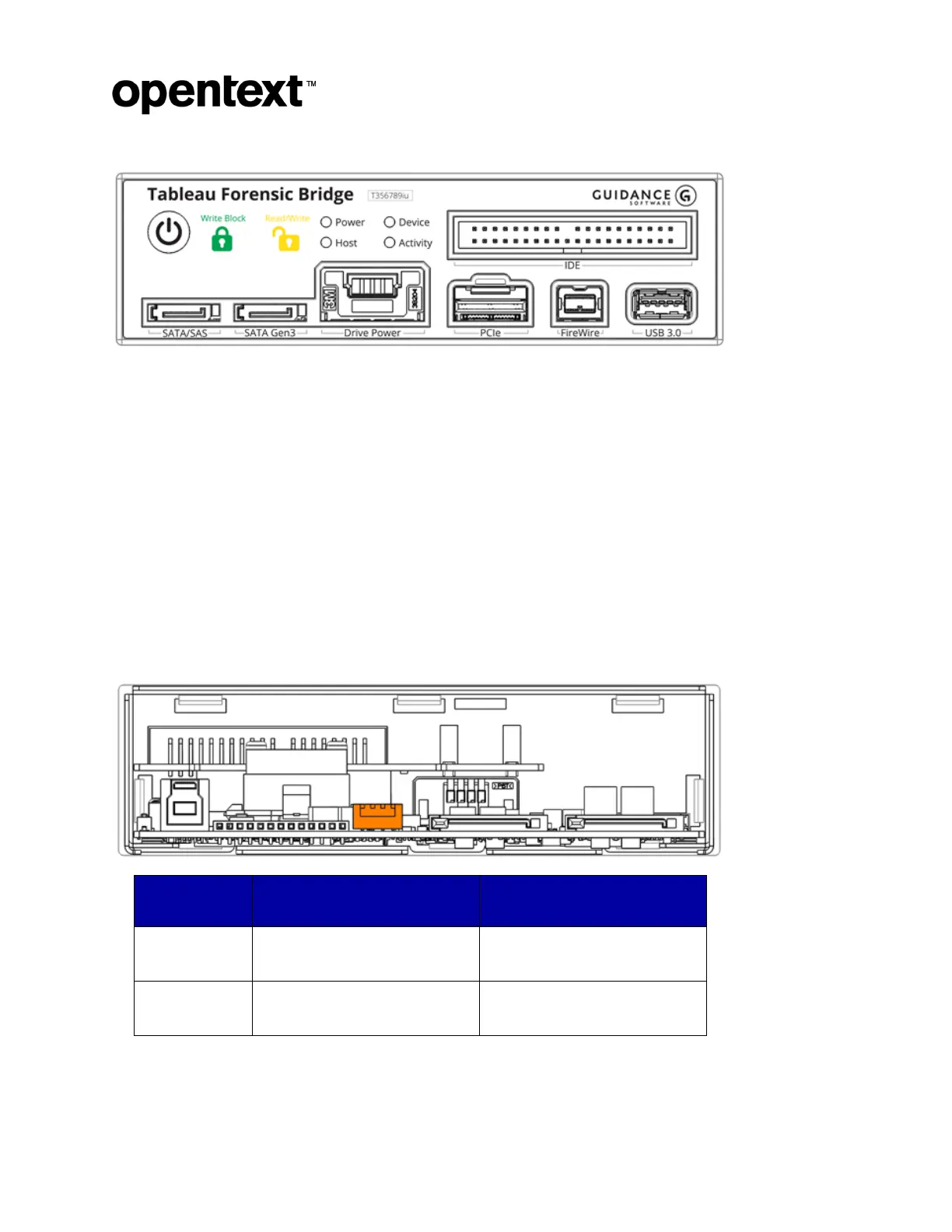
Tableau Forensic Universal Bridge T356789iu
The Information Company 9
Write Block: (green closed lock) write-block mode (read-only).
Read/Write: (yellow open lock) read/write mode (enabled when DIP switch 1 is on).
Power: when lit, the Universal Bridge is on.
Host: when lit, the host computer is connected.
Device: when lit, the connected device is powered and visible to the Universal Bridge.
Activity: when lit, read or write activity is occurring on the connected device.
4.4 DIP switch settings
The Universal Bridge has a four-position DIP switch located on the rear of the unit. The
default position for all four switches is OFF. Power off the host computer and bridge
before changing the DIP switch settings.
Read-only/Write-blocked
mode
Reports write errors to the
host
Suppresses write errors to the
host


 To Next Page