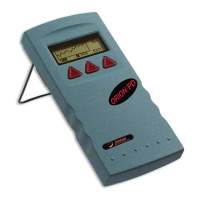
To switch the backlight on and off:
After the Nova II is switched on, press the
on/off/backlight switch briefly again. The backlight will
switch on. To switch off the backlight, press the switch
again.
To switch the Nova II off:
Press the on/off/backlight switch and hold it for ~ 3
seconds until the display blanks.
If you wish to save the current Nova II configuration,
use the "configure" function. (See section 2.2.2).
Display Options
To zero instrument:
1. Disconnect the sensor, turn off then on again.
“Head Disconnected" will be displayed. displayed. skj
2. Make sure instrument is not in an electrically noisy
environment and is undisturbed.
3. Press zero and then start.
To set the Display Modes:
1. Disconnect the sensor and switch off then on
again. “Head Disconnected" will appear.
2. Select “display mode” and enter. Choose the
desired mode and press save. The Nova II will
now be in this display mode for all sensors.
3. Select “date” and press the enter button. Using
the navigation keys set to the correct date. Press
save.
4. Select “time” and enter. Using the navigation keys,
set to the correct time. Press save.
5. For adjusting RS232 baud rate and An. Ouput
voltage see sections 3.5.2 and 3.5.3.



 To Next Page