20
When editing watch face, tap a widget to go to a list of available options, tap
to select a feature that you want to apply to the watch face.
补图
Tap the selected combination of theme and widgets or press the Home button
to save and exit the editing mode.
补图
8.3 Add watch face
Add a watch face to your favorites.
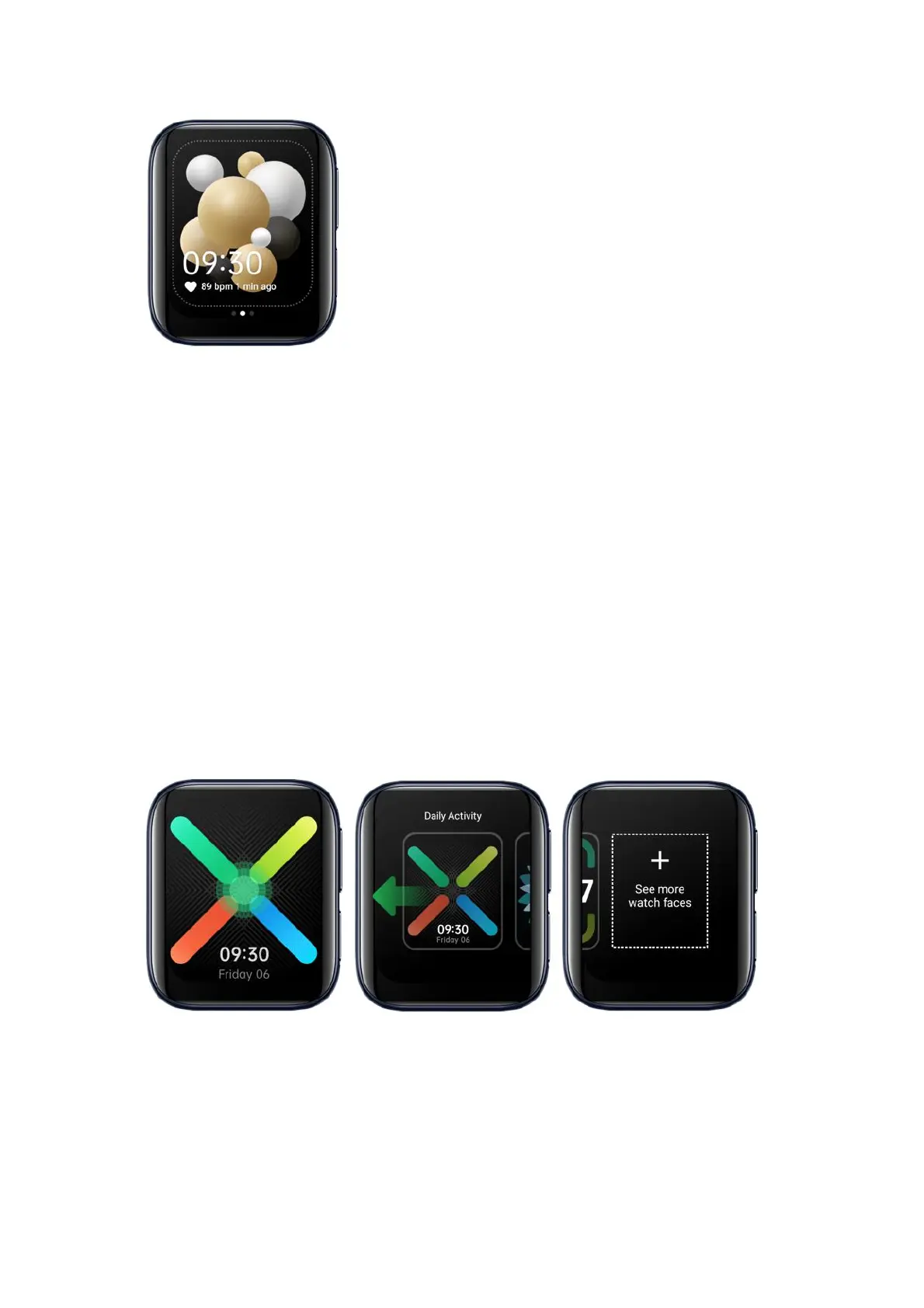
At home screen, press and hold the watch face. Swipe all the way to the right
and tap See more watch faces.
Browse watch face design, tap to add a watch face to favorites.


 To Next Page