EasyManua.ls Logo

Oppo Watch - User Manual

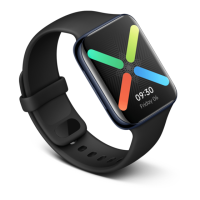
Oppo Watch
33 pages
Print Icon
To Next Page IconTo Next Page
Loading...
OPPO WATCH
USER MANUAL
https://www.oppo.com

Other manuals for Oppo Watch

Question and Answer IconNeed help?

Do you have a question about the Oppo Watch and is the answer not in the manual?

Summary

Basic Operations

Touchscreen operations

Learn basic touchscreen gestures like swiping, tapping, and covering the screen.

Button operations

Understand how to use the Home and Multifunction buttons for navigation and shortcuts.

Notifications

Notifications

Configure and manage app notifications to avoid missing important alerts.

Tiles

Tiles

Manage and customize tiles for quick access to information and features.

App List

App List

View and reorder applications on your OPPO Watch.

Health

Heart rate

Monitor your heart rate automatically and receive alerts for high readings.

Daily activities

Track daily activity, receive movement reminders, and engage in short workouts.

Sleep monitor

Monitor your sleep patterns and view detailed sleep reports.

Workouts

Quickly pause;resume during exercise

Learn how to pause and resume your exercise sessions efficiently.

Swimming

Utilize the watch for swimming, tracking duration and distance with 5 ATM water resistance.

Sports data analysis

Analyze your workout performance with detailed reports on the watch and companion app.

Power Saver Mode

Power Saver Mode

Extend battery life by enabling Power Saver mode and understanding its features.

Watch Face

Change watch face

Select and switch between different watch faces to personalize your device.

Customize watch face

Personalize watch faces by choosing themes and widgets to display key information.

Add watch face

Add preferred watch faces to your favorites for quick access.

Delete watch face

Remove watch faces from your favorites if no longer needed.

AI Outfit-matching watch face

Generate watch faces that complement your outfit using AI algorithms.

Photos watch face

Create custom watch faces using your own photos from the phone album.

Always-on screen

Always-on screen

Activate and configure the Always-on screen for constant display of ambient watch faces.

Google Play Store

How to download apps?

Learn how to find and install new applications from the Google Play Store.

How to uninstall an app?

Follow steps to remove unwanted applications from your watch.

System Update

System Update

Receive notifications and perform system updates to keep your watch current.

Unpair OPPO Watch

Unpair OPPO Watch

Learn how to disconnect your watch from the Wear OS app and reset it.

Standalone LTE Connectivity

Standalone LTE Connectivity

Set up eSIM for independent cellular network and phone call functionality.

Summary

Basic Operations

Touchscreen operations

Learn basic touchscreen gestures like swiping, tapping, and covering the screen.

Button operations

Understand how to use the Home and Multifunction buttons for navigation and shortcuts.

Notifications

Notifications

Configure and manage app notifications to avoid missing important alerts.

Tiles

Tiles

Manage and customize tiles for quick access to information and features.

App List

App List

View and reorder applications on your OPPO Watch.

Health

Heart rate

Monitor your heart rate automatically and receive alerts for high readings.

Daily activities

Track daily activity, receive movement reminders, and engage in short workouts.

Sleep monitor

Monitor your sleep patterns and view detailed sleep reports.

Workouts

Quickly pause;resume during exercise

Learn how to pause and resume your exercise sessions efficiently.

Swimming

Utilize the watch for swimming, tracking duration and distance with 5 ATM water resistance.

Sports data analysis

Analyze your workout performance with detailed reports on the watch and companion app.

Power Saver Mode

Power Saver Mode

Extend battery life by enabling Power Saver mode and understanding its features.

Watch Face

Change watch face

Select and switch between different watch faces to personalize your device.

Customize watch face

Personalize watch faces by choosing themes and widgets to display key information.

Add watch face

Add preferred watch faces to your favorites for quick access.

Delete watch face

Remove watch faces from your favorites if no longer needed.

AI Outfit-matching watch face

Generate watch faces that complement your outfit using AI algorithms.

Photos watch face

Create custom watch faces using your own photos from the phone album.

Always-on screen

Always-on screen

Activate and configure the Always-on screen for constant display of ambient watch faces.

Google Play Store

How to download apps?

Learn how to find and install new applications from the Google Play Store.

How to uninstall an app?

Follow steps to remove unwanted applications from your watch.

System Update

System Update

Receive notifications and perform system updates to keep your watch current.

Unpair OPPO Watch

Unpair OPPO Watch

Learn how to disconnect your watch from the Wear OS app and reset it.

Standalone LTE Connectivity

Standalone LTE Connectivity

Set up eSIM for independent cellular network and phone call functionality.

Oppo Watch Specifications

General IconGeneral
Display Size1.91 inches
Display TypeAMOLED
Resolution402 x 476 pixels
Operating SystemWear OS
ProcessorQualcomm Snapdragon Wear 3100
RAM1GB
Storage8GB
Battery Capacity430 mAh
Water Resistance5ATM
ConnectivityWi-Fi, Bluetooth
SensorsAccelerometer, Gyroscope, Heart rate
Weight40g (without strap)