31
13 Standalone LTE Connectivity
eSIM is a virtual SIM provided by carriers. After activation, the watch can use
functions such as telephone, cellular mobile network, etc. without connecting to
a phone.
How to set up?
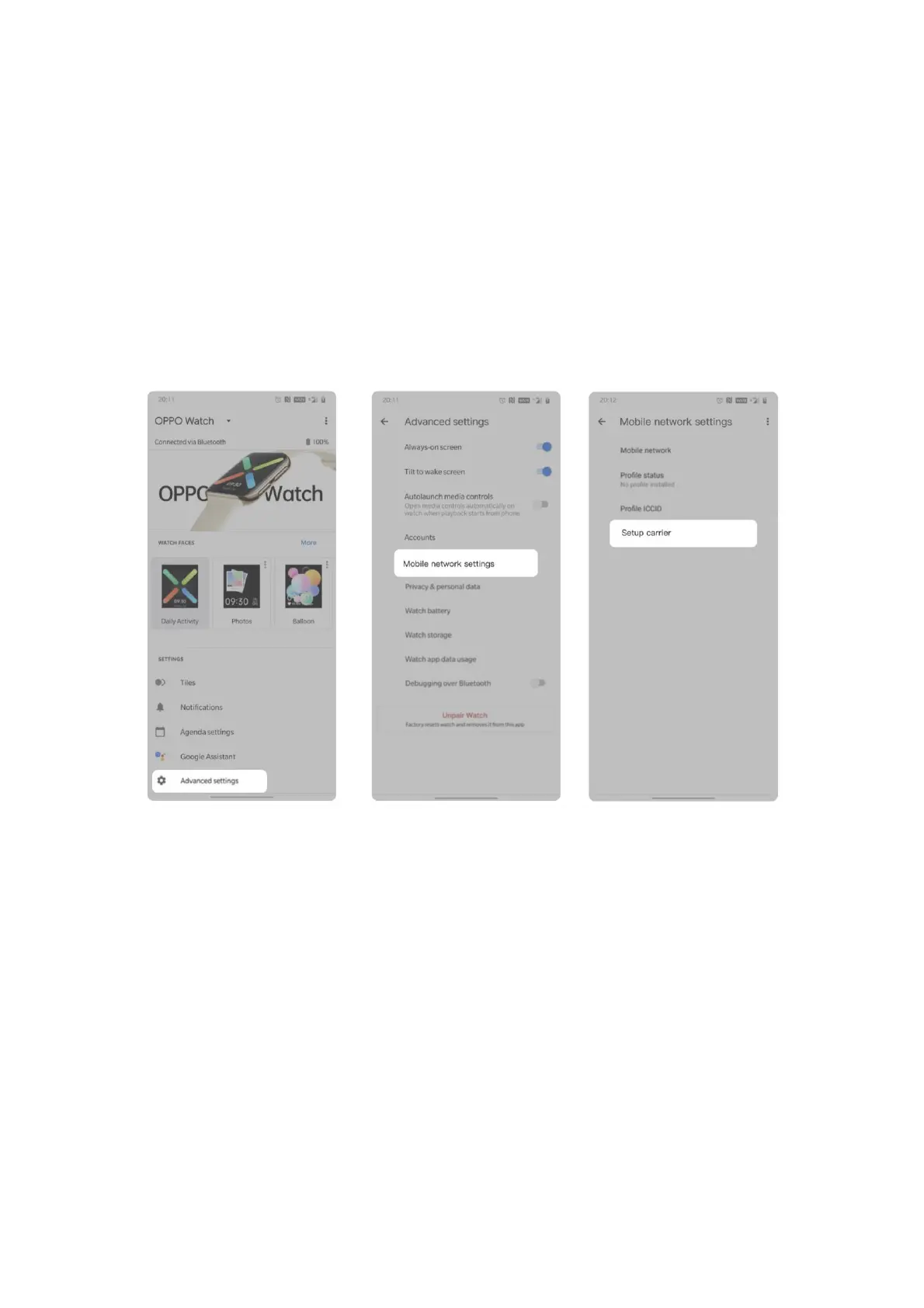
1. On the main page of the Wear OS app, tap Advanced settings > Mobile
network settings > Setup carrier.
2. Scan a valid QR code, or enter the serial code provided by the carrier, then
follow the instructions to connect to the carrier.


 To Next Page