32
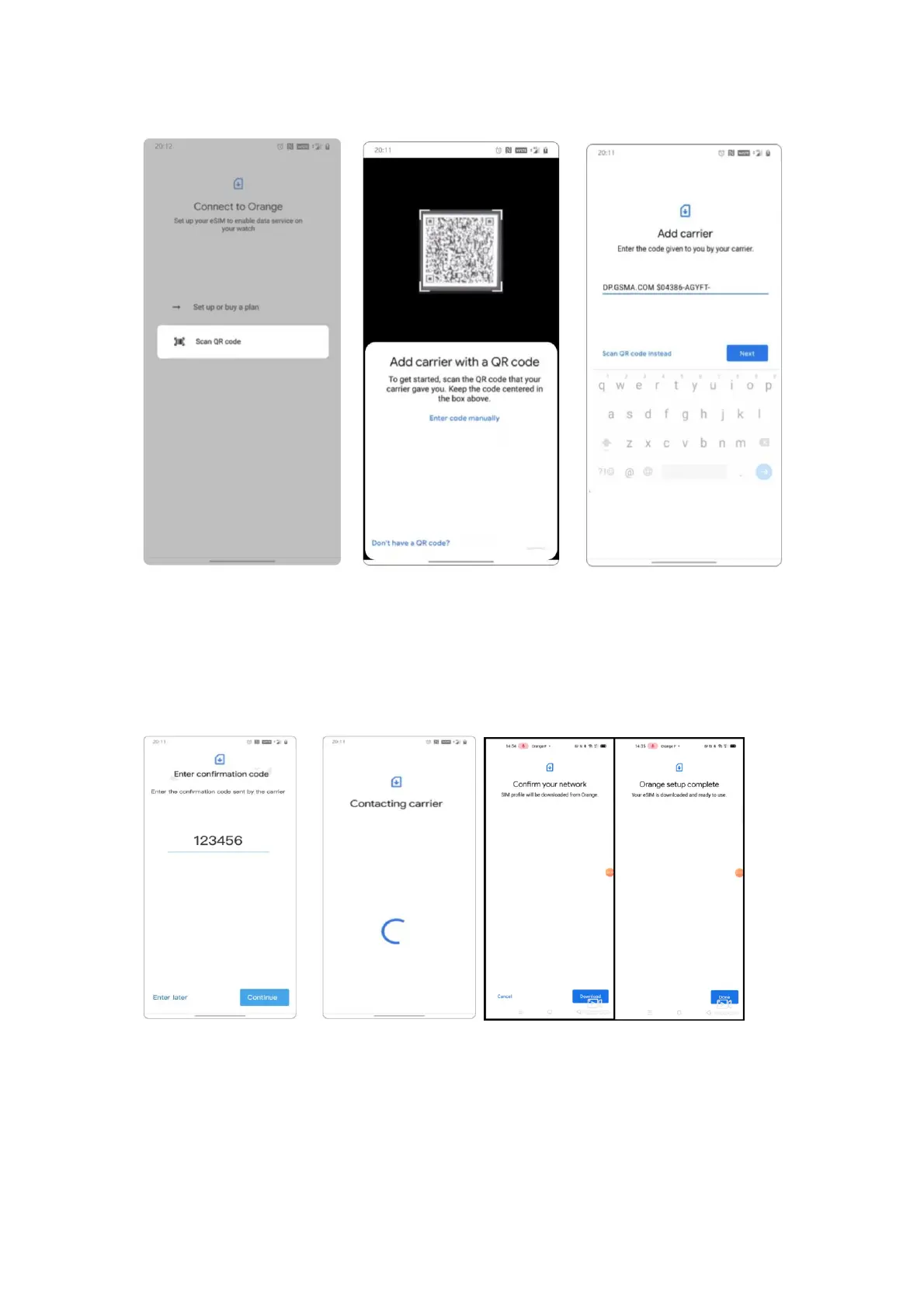
3. After successfully add the carrier, you need to enter the PIN code to verify.
After verification, the page will prompt “Confirm your network”. Tap the
Download button, the watch will start to download the profile. Once download
completes, you are all set.


 To Previous Page