Installation
Important: Please keep the installation procedure below. Improper or no
operation may result if the start-up sequence is not correctly followed.
Step 1
Carefully unpack the contents in the shipping group.
Step 2
Power on the DisplayPort source and display. Both the transmitter and
receiver will be turned on by 3.3V from pin #20 of DisplayPort interface. The
USB power is recommend for the stable power supply for both the transmitter
and receiver.
Step 3
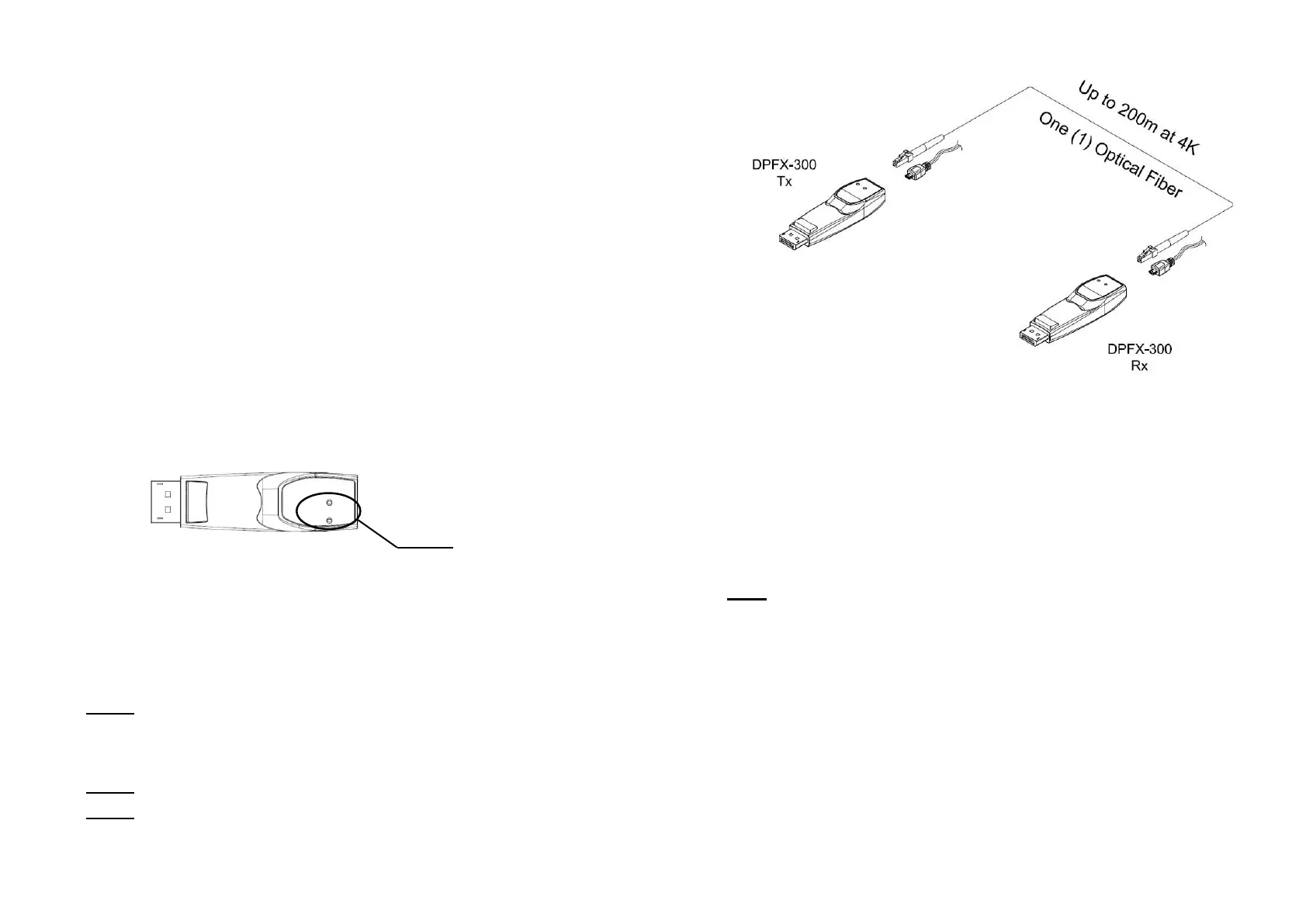
The Power LED will be turned on when DPFX-300-TR is connected to
DisplayPort interface of signal source and display and the Status LED will
blink three (3) times. Then the Status LED will blink again when the whole
connection is made.
Figure 2 – Position of the LED
Step 4
Connect one (1) LC optical fiber between the transmitter and the receiver.
Ensure the connectors are fully engaged and then, the top LED will begin to
blink regularly.
Note1: Please DO NOT look directly into the LC receptacles of the
Transmitter, while it is powered on, although this product is regulated strictly
enough to operate under the LASER Class I, classified by CDRH/FDA for eye
safety.
Note2: The maximum extension length by OM3 fiber is 200 meters (656ft.).
Note3: Be recommended NOT to use any intermediate cable or adapter
between them to avoid undesirable performance degradation.
1-3 Installation
Fig Figure 3 – Connection of optical fiber
Step 5
Connect the transmitter (DPFX-300-Tx) to the DisplayPort source.
Step 6
Connect the receiver (DPFX-300-Rx) to the DisplayPort display.
Note: If the connectors are fully engaged, the bottom LED will turn on.
Step 7
If the system does not work properly, go to the page 1-5 for trouble shooting.
1-4 Installation



 To Next Page