THE CLIMATE FACTORY/USER MANUALS/OPTICLIMATE SPLIT (INVERTER)
www.theclimatefactory.com info@theclimatefactory.com
© The Climate Factory
INSTALLATION
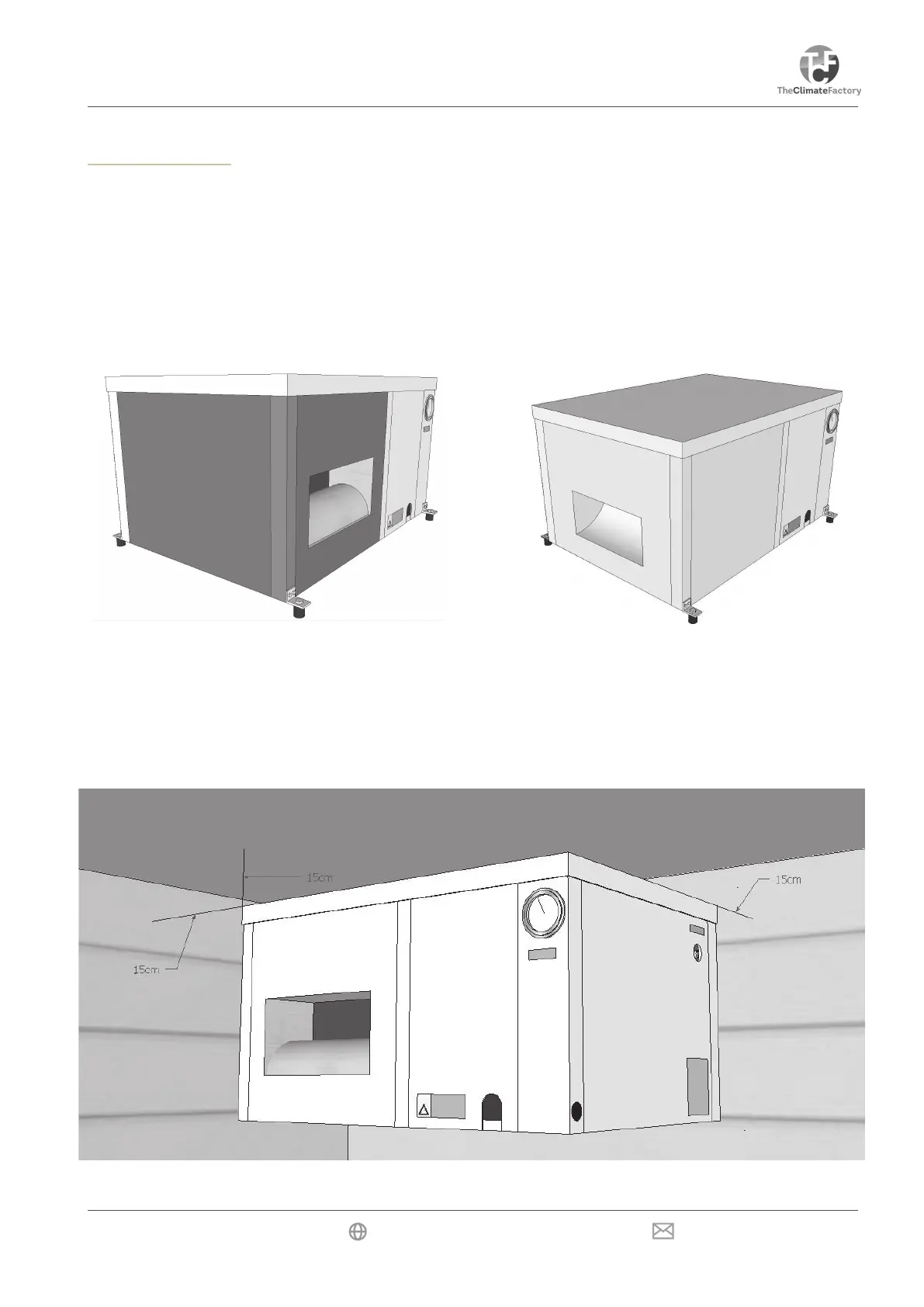
If the unit is placed in a narrow room or in the ridge of a gable roof, the fan outlet side can be installed at the
short side of the unit.
This can be done simply by reversing the dark panels. The fan panel is moved around to the short side of the
unit. Loosening the corner bracket will eliminate the need for disconnecting cable connections.
It is important, however, to release the outlet air to the fan.
Fan installation (front / side)
Installation
To guarantee proper air suction, leave at least 15cm of space between the wall and the backside of the unit,
where the carbon & dust lters and air inlet are located. At least 15cm of space should also be left between the
topside of the unit and the ceiling. Larger spaces are preferred. The unit must stand free from the wall to avoid
contact noises.


 To Next Page