THE CLIMATE FACTORY/USER MANUALS/OPTICLIMATE SPLIT (INVERTER)
www.theclimatefactory.com info@theclimatefactory.com
© The Climate Factory
ELECTRICAL CONNECTION
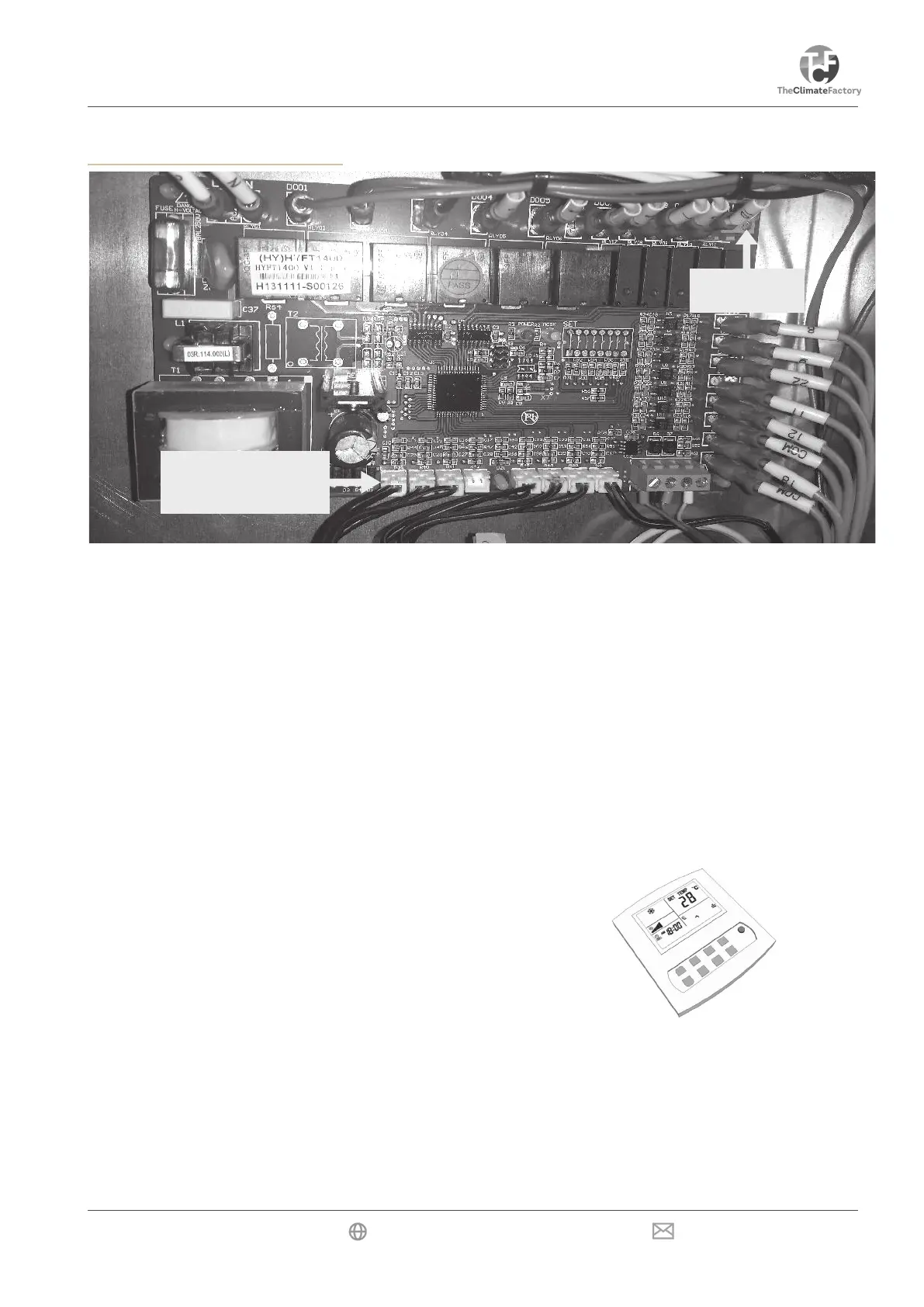
Room Temperature
Sensor A101
Alarm
port
Alarm port
The printed circuit-board has an alarm port, which is activated (makes contact) in case of a malfunction (error).
This contact can be connected to a GSM detector. The contact can be set to NO (contact open) or NC (con-
tact closed) using the Settings menu. This means that the contact will be opened or closed in case of detection.
See the manual of the GSM detector or alarm for this.
Automatic moisture meter with light cell
The automatic moisture meter with built-in light cell supplied with the unit is already connected. The cable should
be led through the opening in the panel. The automatic moisture meter should be hung in the room and may
NOT be covered.
The light cell in the automatic moisture meter automatically switches the OptiClimate from day to night mode.
Room temperature sensor
The room temperature sensor should be suspended in the space to be cooled. The sensor should be protected
against heat radiation but may not be put in the shade. A protective cover over the sensor is sufcient.
The remote control
The remote control contained in the compartment can be hung
in the room but can also be hung elsewhere. This way the
OptiClimate can also be controlled from outside the room. The
four-core cable is already connected and should be led to the
outside through the opening in the panel.
Five-core cable
A ve-core cable is included to power the outdoor unit, and to connect the temperature sensor in the outdoor
unit to the indoor unit. The ve-core cable is connected to the terminal strip in the indoor unit and the white junc-
tion box on the outdoor unit or, with the larger units, on the power strip behind the terminal cover. The ve-core
cable should be fed into the panel through the opening, and be connected to the indoor unit as follows.
Blue on N
Brown on 7
Yellow/green on PE
Black or grey on 24
Black or grey on 23



 To Next Page