8
Selection of Indicator (Scale) Address
• You can set an address for your scale to better communicate with its PC
or printer (especially if multiples scales are in use). Doing so will help
the scale know when a command from the PC is meant for it versus
another scale
To set your indicator address:
• Holding the [TARE] key while turning on the scale
• Press [MODE] until you are on your set communication setting
ex. [FC 1]
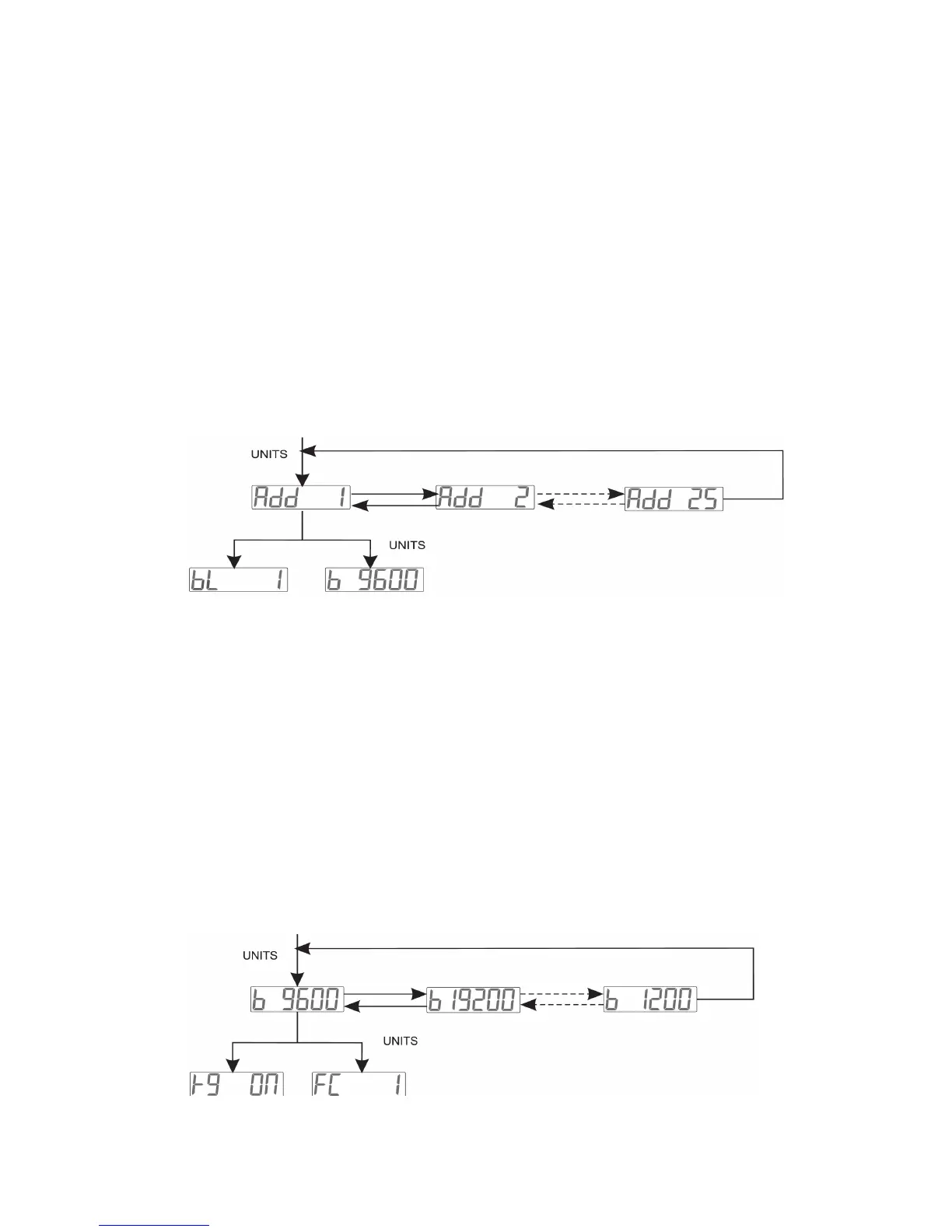
• Then press [UNIT] to select address, the screen will read [Add 1]
• Press [ZERO] to change your address (the selection range is 1-25)
• Press [MODE] to select your setting and enter the BPS setting.
Selection of BPS (Bits Per Second) / Baudrate
• When the BPS of the scale and the communication equipment is not the
same the communication may not function properly
To change your BPS:
• Hold the [TARE] key while turning on the scale
• Press [MODE] until you are on your set communication setting
ex. [FC 1]
• Then press [UNIT] and you will see your address ex. [Add 1], and by
pressing [UNIT] again you will see your BPS ex. [b 9600]
• Press [ZERO] to change your BPS setting



 To Next Page