6
USER SETTINGS
• Hold [TARE] key and turn on the scale to enter the setting mode.
• It will show the selection of parameter. Press the [MODE] key to go to
the selection
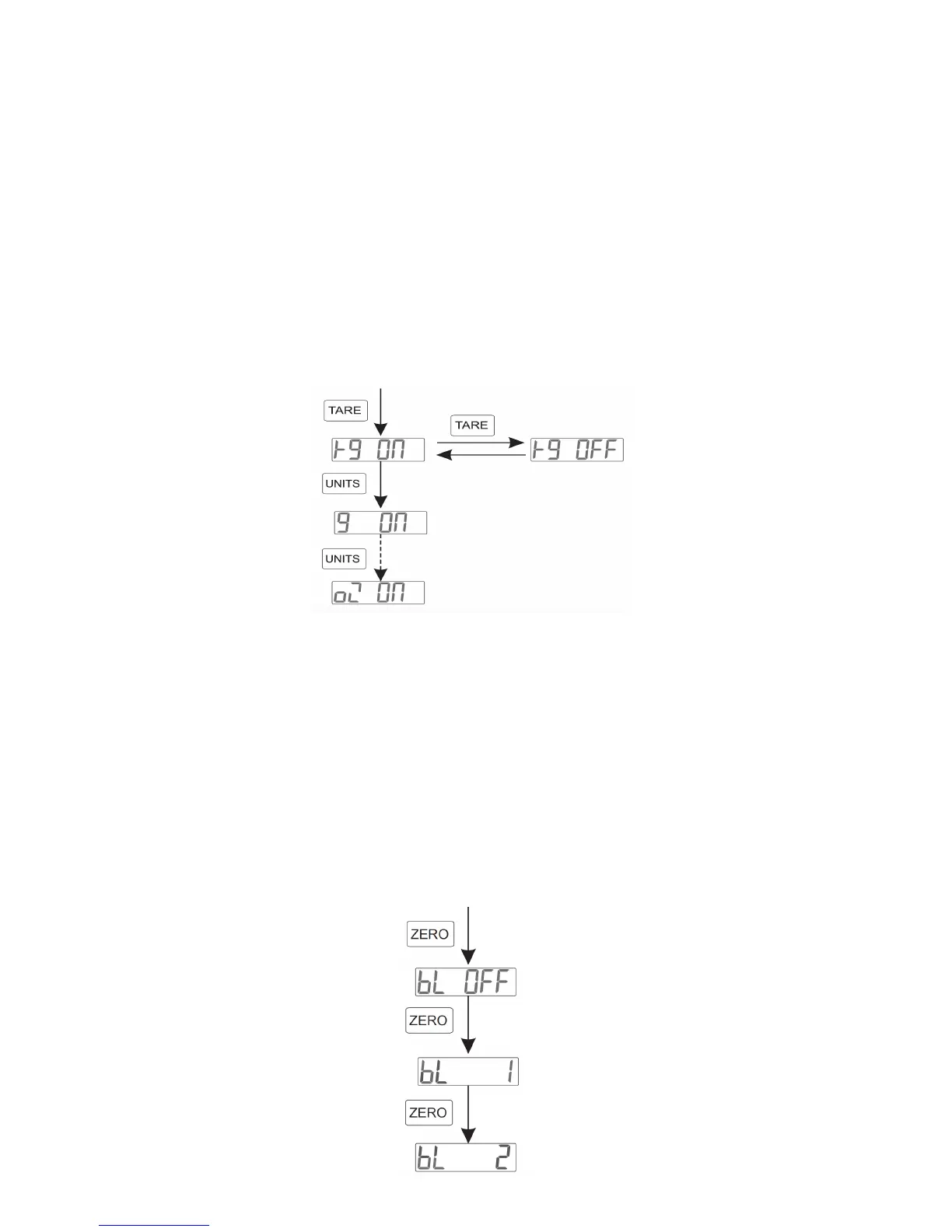
Unit Setting
• If you wish to disable one of the unit options (kg, g, lb) from showing in
weighing mode, you can do so by holding the [TARE] key while turning
the scale on. Then press the [UNIT] key to select which unit you wish to
turn off. Press the [TARE] key to toggle the unit between on or off. Press
[MODE] key to save settings
Backlight Setting
• There are three backlight options:
• bL 1 : the backlight lights up only when something is on the scale
• bL 2: the backlight is always on
• bL OFF: the backlight is always off
You can change these settings by:
• Hold the [TARE] key while turning on the scale
• Then press the [MODE] key twice or until the screen reads one of the
backlight options
• Then press the [ZERO] key to toggle between backlight modes



 To Next Page