7
Transmission Setting (Optional)
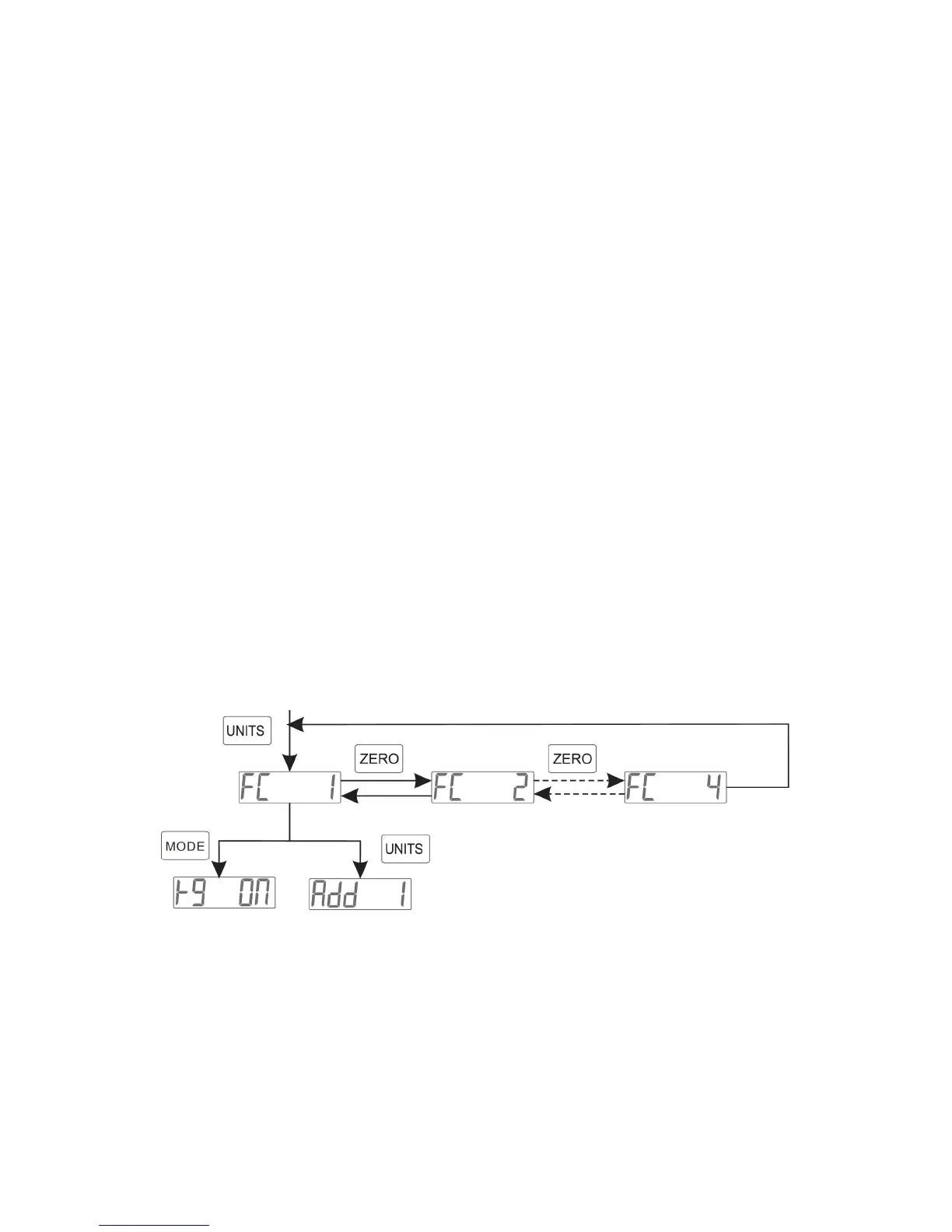
• This function is for selecting a communication mode that is active when
the scale is connected to a printer/computer and the relative
equipment. There are four modes selectable
You can choose your communication setting by:
• Holding the [TARE] key while turning on the scale
• Then press the [MODE] key until the screen reads one of the modes
ex. [FC 1], [FC 2], [FC 3], [FC 4]
• Press the [ZERO] key to toggle between the transmission modes
• Press the [MODE] key to set your mode
Continuous Transmission mode [FC 1]
• Scale continuously sends data every 0.3 seconds to the PC (while in
weighing mode)
Response Transmission mode [FC 2]
• When the PC requests/inquires the data, the scale will respond and
transfer the corresponding data
Stable Transmission mode [FC 3]
• Once the weight on the scale is stable, the data will be transfered to the
PC
Print Transmission mode [FC 4]:
• This mode is the same as the previous mode, but the transferring
format is different. It applies to a printer connection
*See attachment section for more information



 To Next Page