OPTIMUM
MASCHINEN - GERMANY
Version 1.0.4 dated 2015-11-19Page 24 Original operating instructions
DRO 5GB
5.4.1 Installation steps
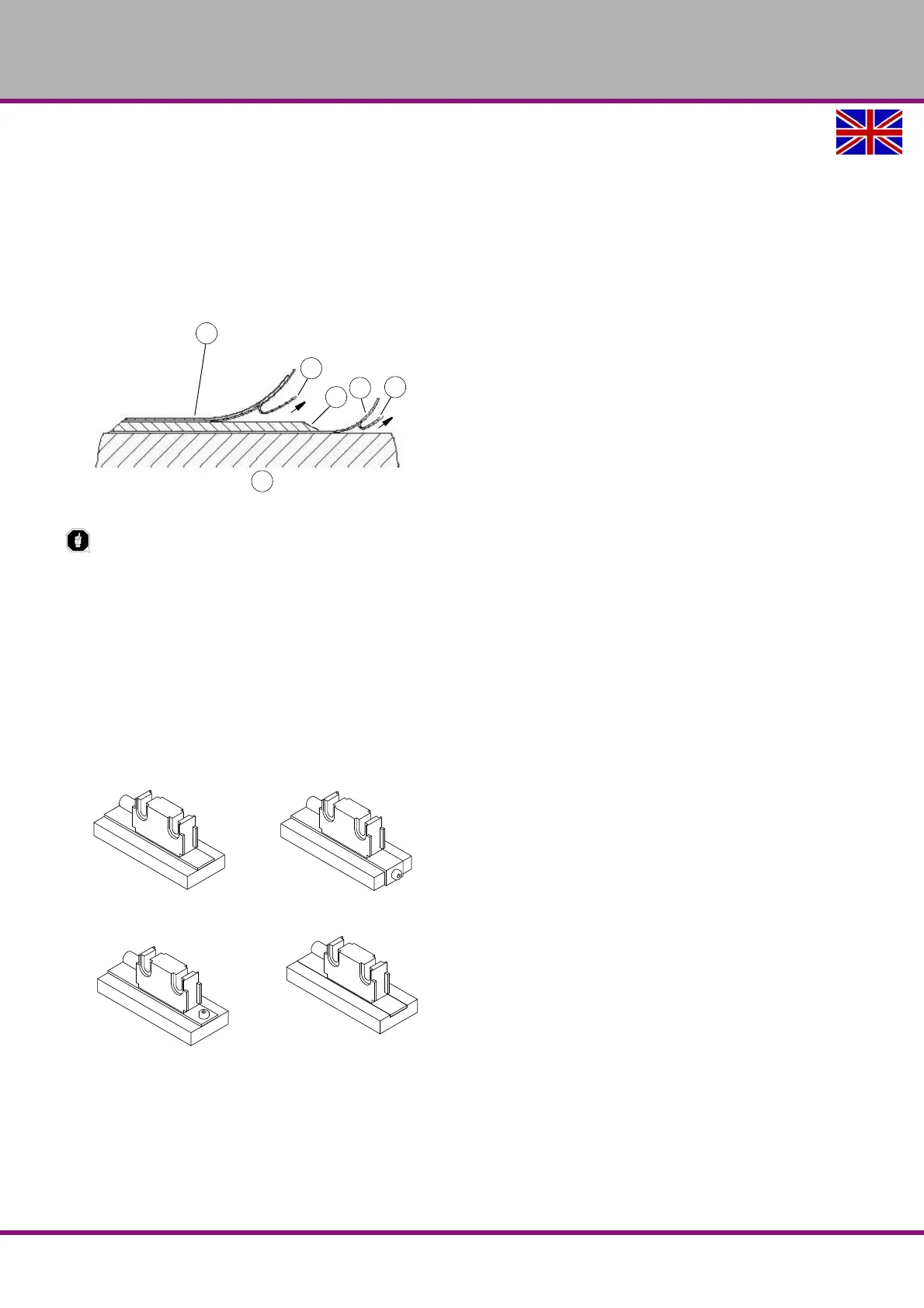
Clean mounting surface (1) carefully.
Remove protective foil (2) from the adhesive side of the magnetic strip (3).
Stick down the magnetic strip (4).
Clean surface of magnetic strip carefully.
Remove protective foil (6) from adhesive tape on the cover strip (5).
Fix cover strip (both ends should slightly overlap).
Secure the overlapping ends of the cover against detachment .
ATTENTION!
Do not expose the system to magnetic fields. Any direct contact of the magnetic strip with
magnetic fields (e.g. adhesive magnets or other permanent magnets) is to be avoided. Sensor
movements during power loss are not captured by the follower electronics.
5.4.2 Installation examples
Mounting with chamfered ends
(
Img.5-1:) is not recommended unless the strip is installed in a safe and protected place without envi-
ronmental influences. In less protected mounting places the strip may peel. In such cases are mounting
methods more suitable as shown in
Img.5-2: and
Img.5-3:. Best protects the assembly in a groove
Img.5-4: which should be so deep that the magnetic tape can be completely embedded therein.
Img.5-1: Img.5-2:
Img.5-3: Img.5-4:



 To Next Page