12
PLAYING A CASSETTE TAPE
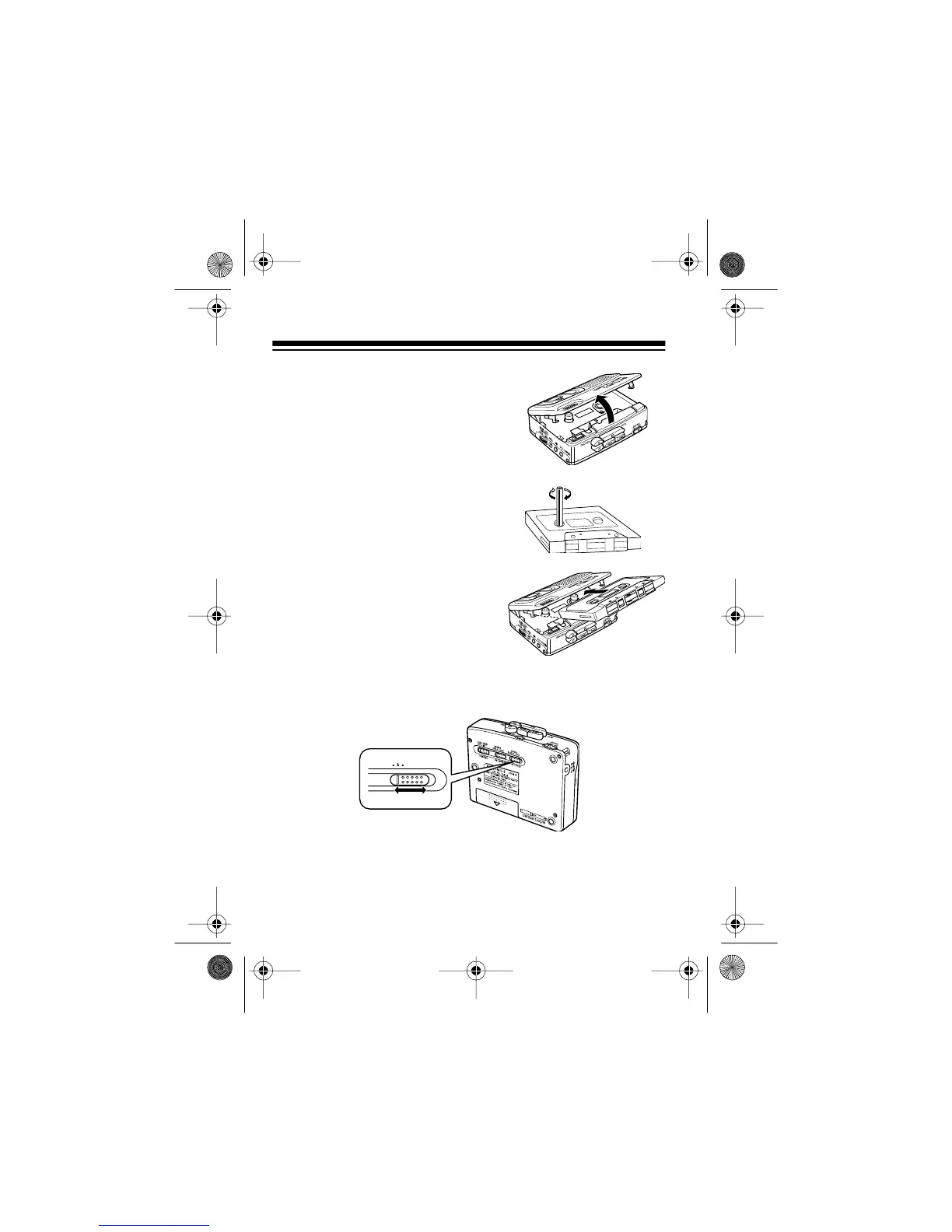
1. Gently pull open the cassette
compartment door.
2. Use your finger or a pencil to
turn the cassette’s hub and take
up any slack in the tape. Do not
touch the tape.
3. Load a cassette into the door’s
guides so the cassette’s open
edge is out and the side you
want to play faces the compart-
ment’s window, then close the
door.
4. Set
TAPE SPEED
to
SLOW
,
NORMAL
, or
FAST
to suit your
listening preference.
TAPE SPEED
NORMAL
SLOW
FAST
14-1121.fm Page 12 Thursday, July 1, 1999 2:42 PM



 To Next Page