Menu Setting
33
Signal
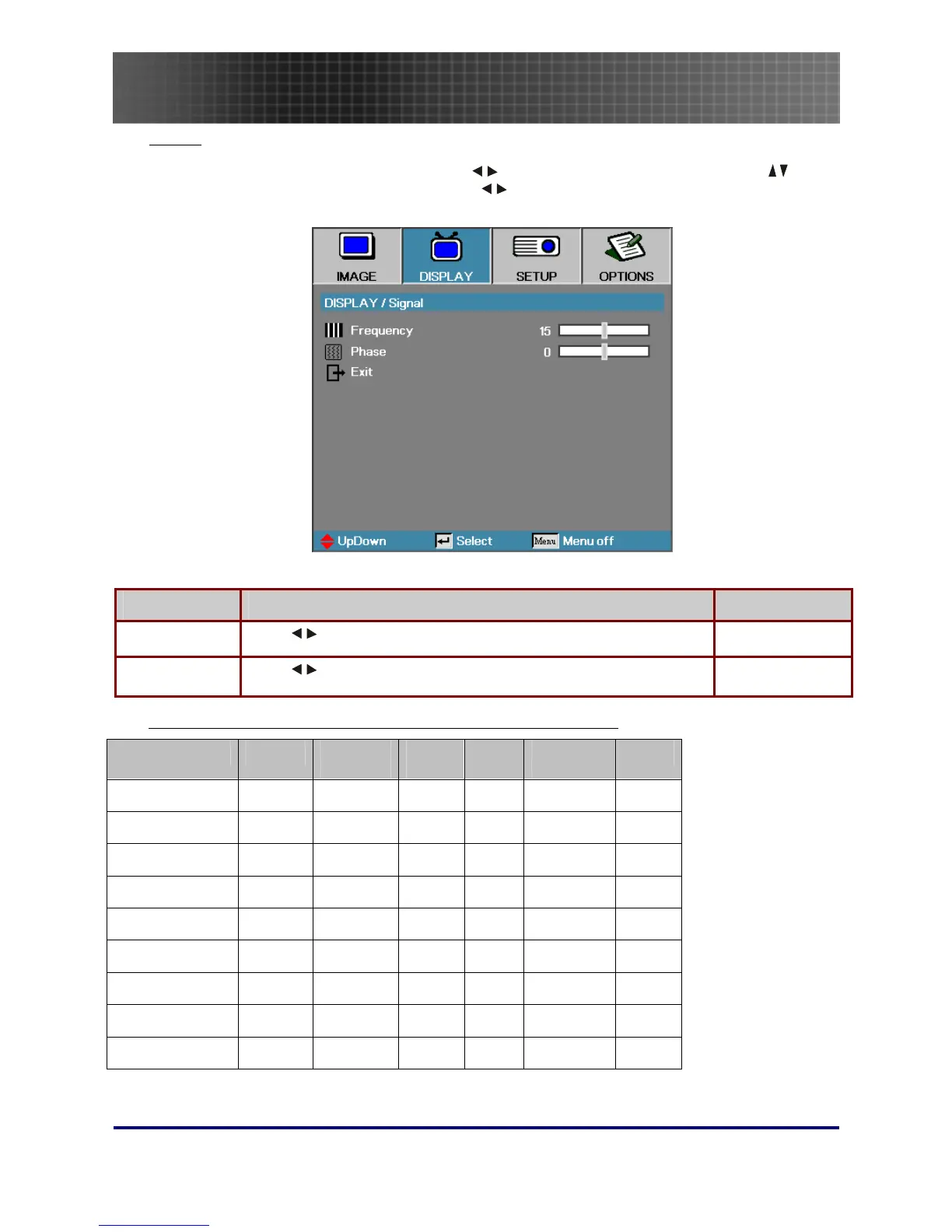
Press Menu to open the OSD menu. Press to move to the DISPLAY menu. Press to
move up and down and select Signal. Press
to change values for settings, and then press
Enter to confirm the new setting.
ITEM DESCRIPTION DEFAULT
Frequency Press to adjust the A/D sampling clock. Auto
Phase Press to adjust the A/D phase. Auto
Display Menu Functions Available for Connected Source
Function VGA
Component
Video
DIGITAL
VIDEO
SCART
Composite
Video
S-Video
Format
○
○ ○ ○ ○ ○
Overscan
○
○ ○ ○
Zoom
○
○
○ ○ ○
V Image Shift
○
○ ○ ○ ○ ○
H. Position
○
○
V. Position
○
○
Signal/Frequency
○
○
Signal/Phase
○
○
V Keystone
○
○ ○ ○ ○ ○
O = available to video source


 To Next Page