Appendices
44
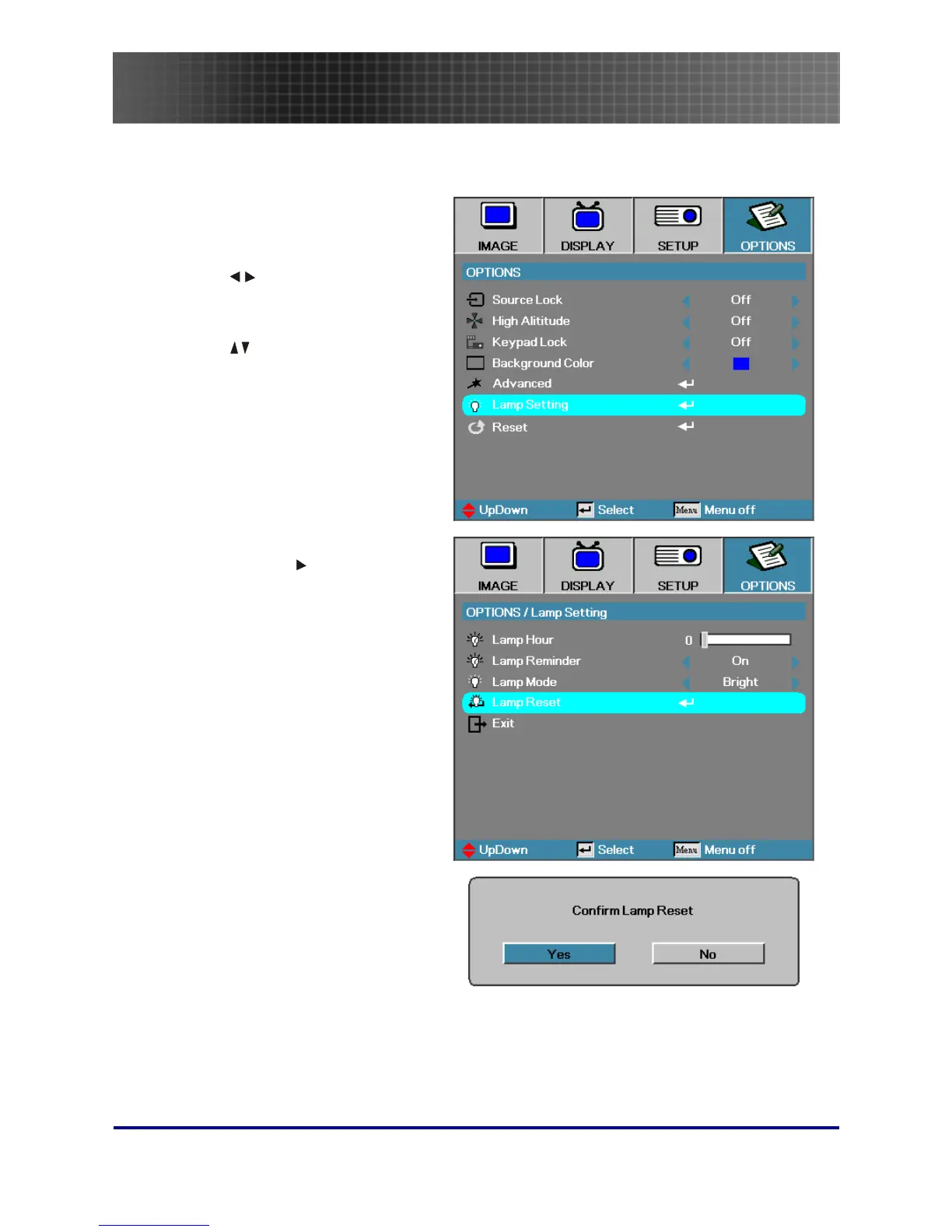
Resetting the Lamp
After replacing the lamp, you should reset the lamp hour counter to zero. Refer to the following:
1.
Press the Menu button to open
the Image menu.
2.
Press
to navigate to the
OPTIONS menu.
3.
Press to navigate to Lamp
Setting and then press Enter.
4.
Navigate down to Lamp Reset
and then press
or Enter.
5.
A Confirm Lamp Reset message
displays. Select Yes to confirm
the lamp reset.



 To Next Page