Introduction
9
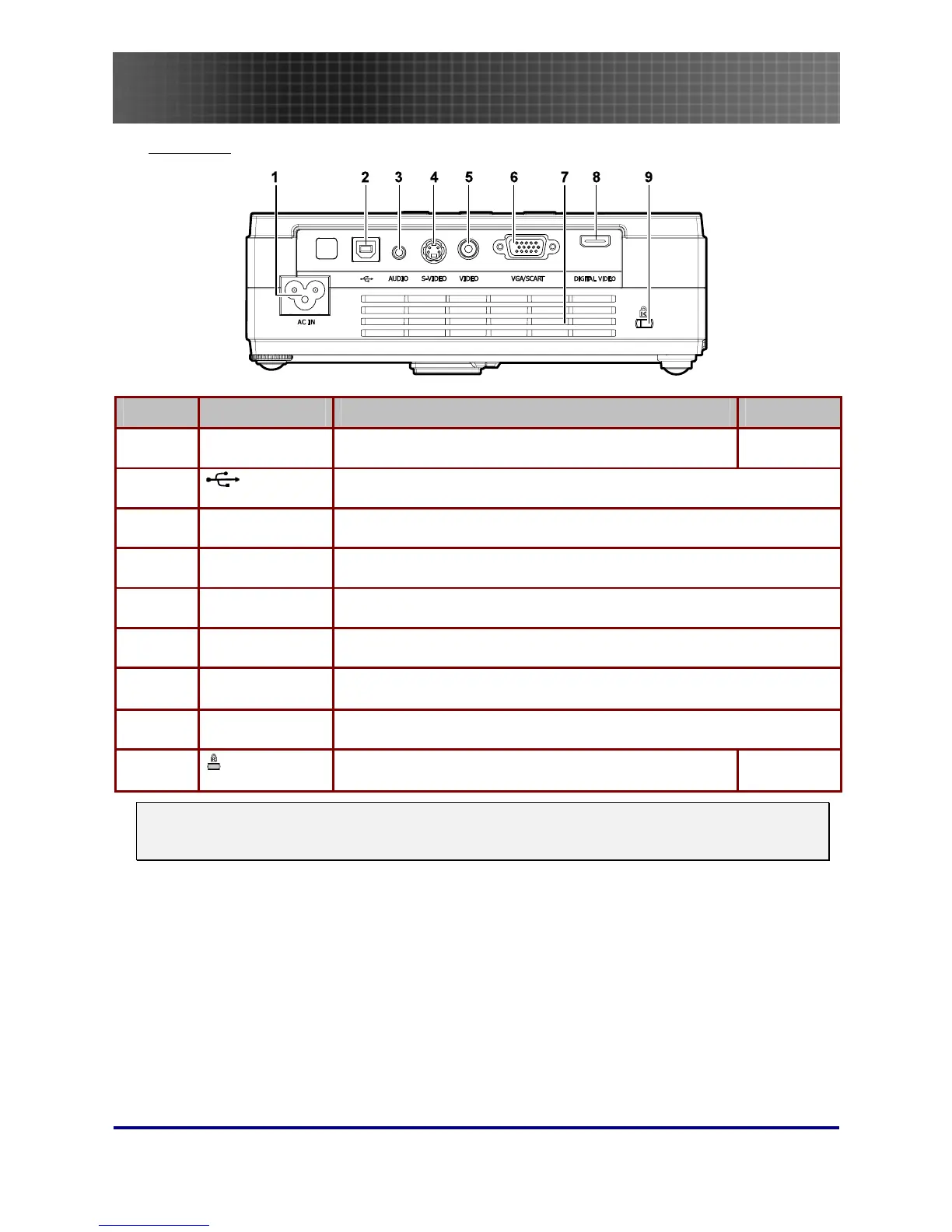
Rear view
ITEM LABEL DESCRIPTION SEE PAGE:
1.
AC IN (Power) Connect the supplied power cord
16
2.
(USB)
Connect the USB cable from a computer
3.
AUDIO Connect the audio cable from an audio input device.
4.
S-VIDEO Connect the composite or S-video cable from a video device
5.
VIDEO Connect a composite video cable from a video device.
6.
VGA/SCART Connect a VGA cable from a computer
7.
Ventilation
opening
Do not obstruct to keep the projector cool.
8.
DIGITAL VIDEO Connect a DIGITAL VIDEO cable from any video source
9.
(Security Lock)
Secure to permanent object with a Kensington® Lock
system
45
Note:
If your video equipment has both S-video and RCA jacks (composite video) connect to the S-video
connector. S-video provides a better quality signal.



 To Next Page