ES526/EX536/EX531/CB2800/ES526L/EX536L
Condential
2-13
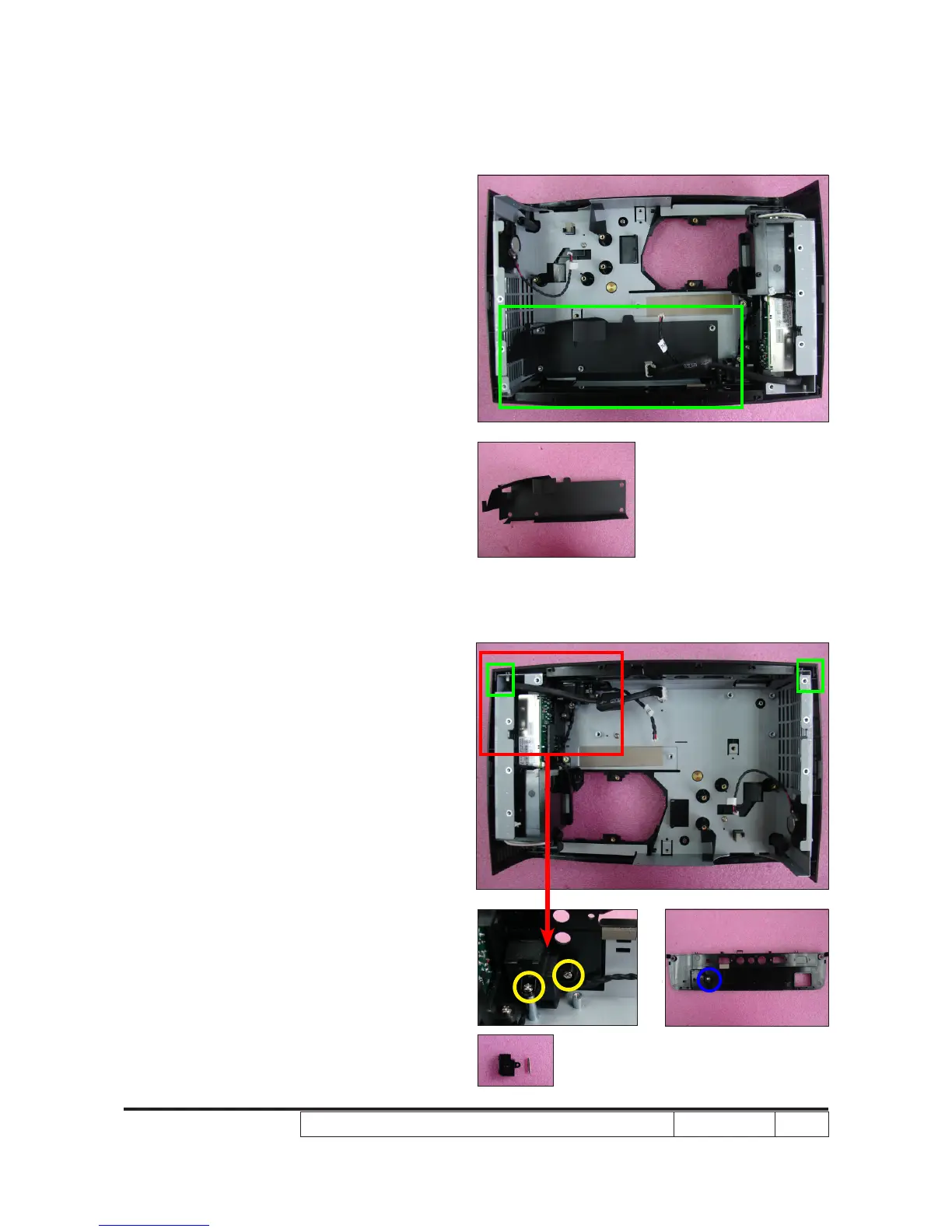
4. Tear off 1 mylar (as green square).
2-19 Disassemble IO Cover
and Security Bar
1. Unscrew 2 screws (as yellow circle).
2. Unfasten 2 tenons (as green square).
3. Disassemble the IO Cover.
4. Unscrew 1 screw (as blue circle) to
disassemble the Security Bar and
Security Bar Cap from the IO Cover.
Note: - Take care of the tenons (as green
square) when you disassemble
the IO Cover.



 To Next Page