ES526/EX536/EX531/CB2800/ES526L/EX536L
Condential
6-5
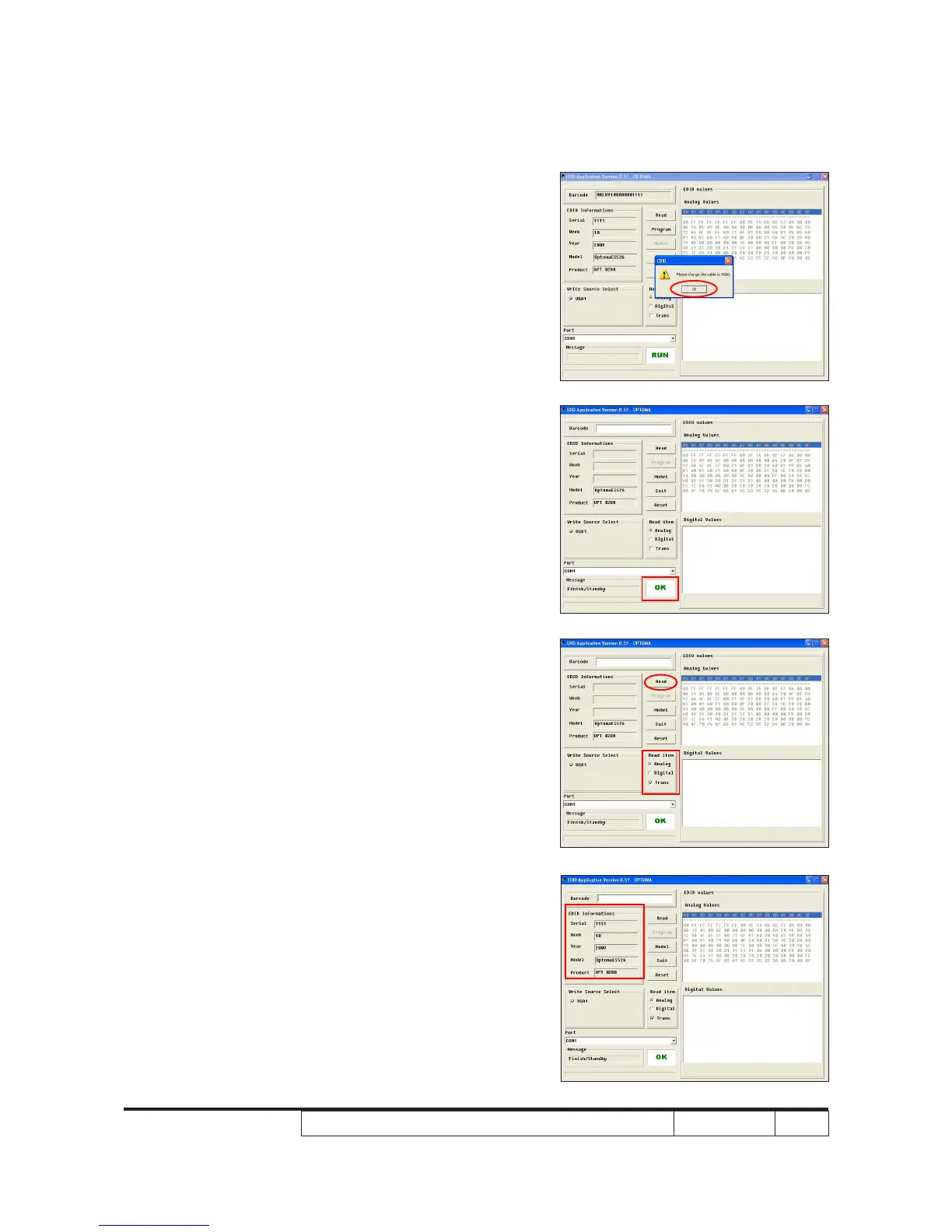
3. Change the cable to VGA1
- When the message "Please change the cable
to VGA1" appear on the screen, click "OK".
4. When the EDID program is completed, a
message "OK" will appear on the screen.
5. Read EDID "VGA" information
- In "Read item", select "Analog" and "Trans",
then click the "Read".
6. EDID informations will show the result.



 To Next Page