2) Install DLP Processor USB Driver
1. If DLP Composer Lite does not be installed yet, please follow the description of section DLP
Composer Lite Installation to install it first.
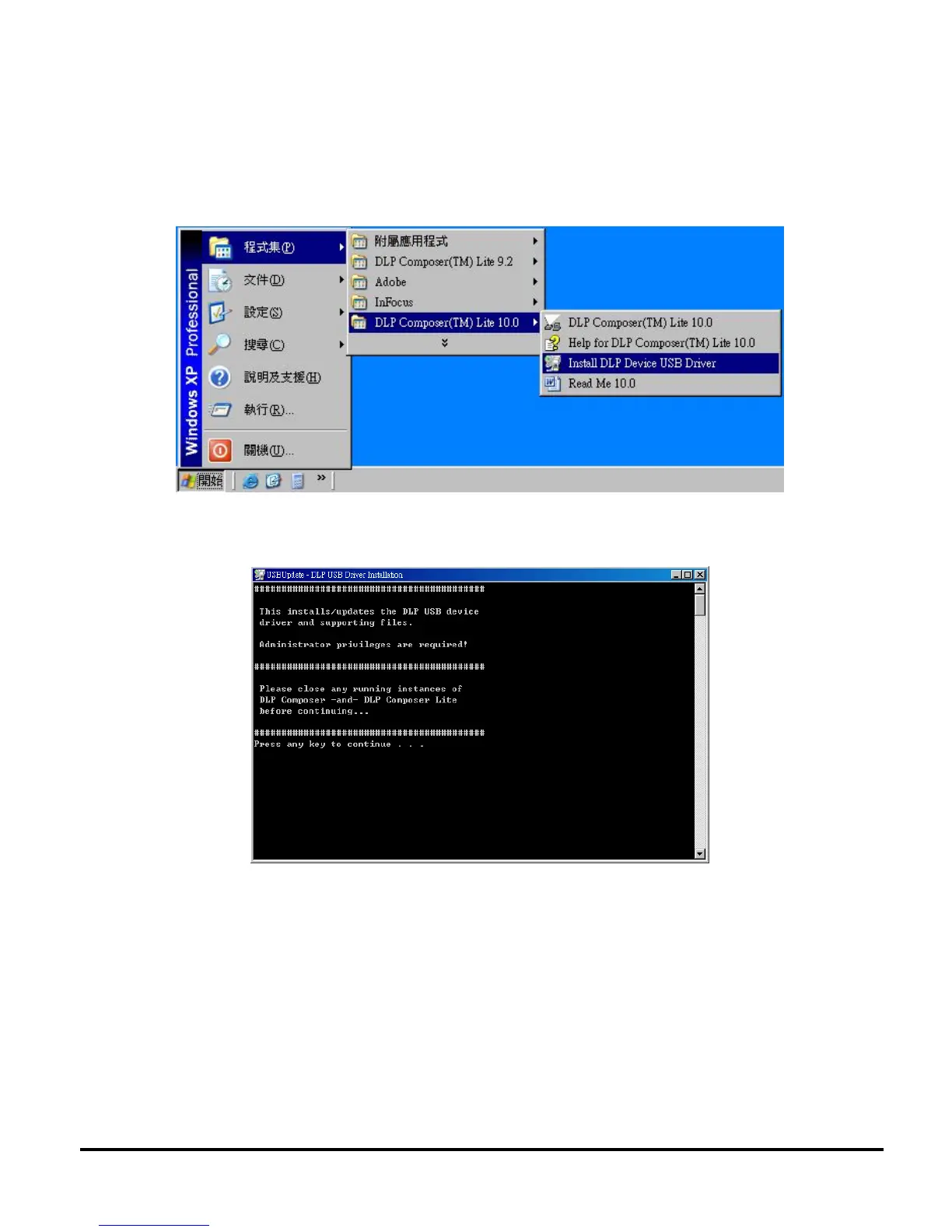
2. Please click the ”Install DLP Processor USB Driver” (as below graphic) to install USB Driver.
During installation, the installer will show a DOS screen. This screen will close itself and the install
will continue automatically.



 To Next Page