EX762/EW762
Condential
3-5
No Symptom Procedure
15 Network Fail
- Ensure you have set up the right IP address and the
connection is OK (Network green LED should light up)
- Check Lan Module Board
- Check Main Board
16
Forgetting
Password
(administrator
Password)
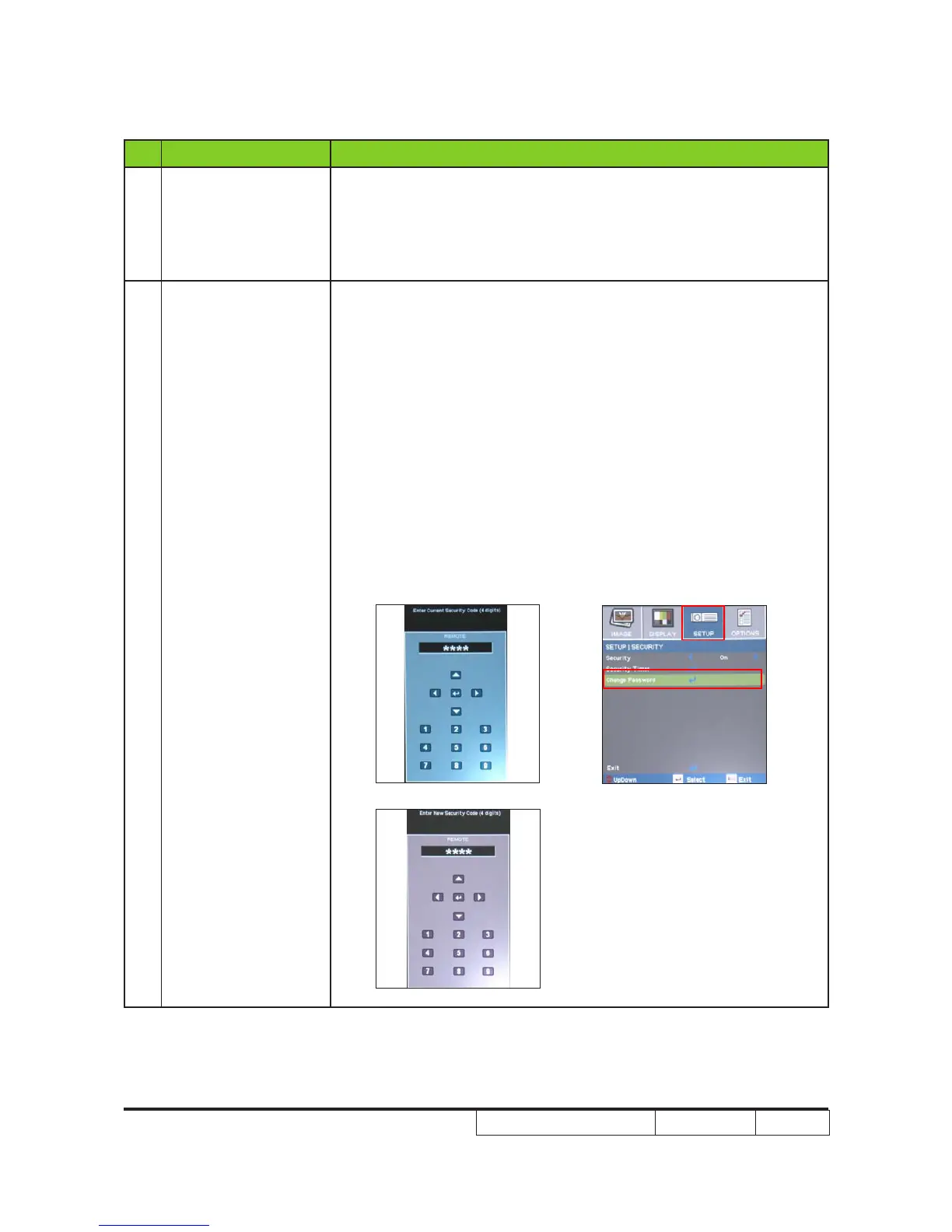
- If you forget the Password, please do the following steps to get
the Universal Password:
(1) When you turn on the projector, the message "Enter
Security Code" appears. Please Input the "Current Security
Code 8642" by Remote Control, then press "Enter".
(2) Press "Menu" button, select "Setup", "Change Password",
then press "Enter" button. The message "Enter Security
Code" appears again, repeat step (1).
(3) The message "Enter New Security Code" appears. Input a
4-digits code (letters and/or numbers) that you dene.
(4) To conrm, key in the password again. The "Security Code
change successfully" appear on the screen.
(1)
(3)
(2)



 To Next Page