EX762/EW762
Condential
6-7
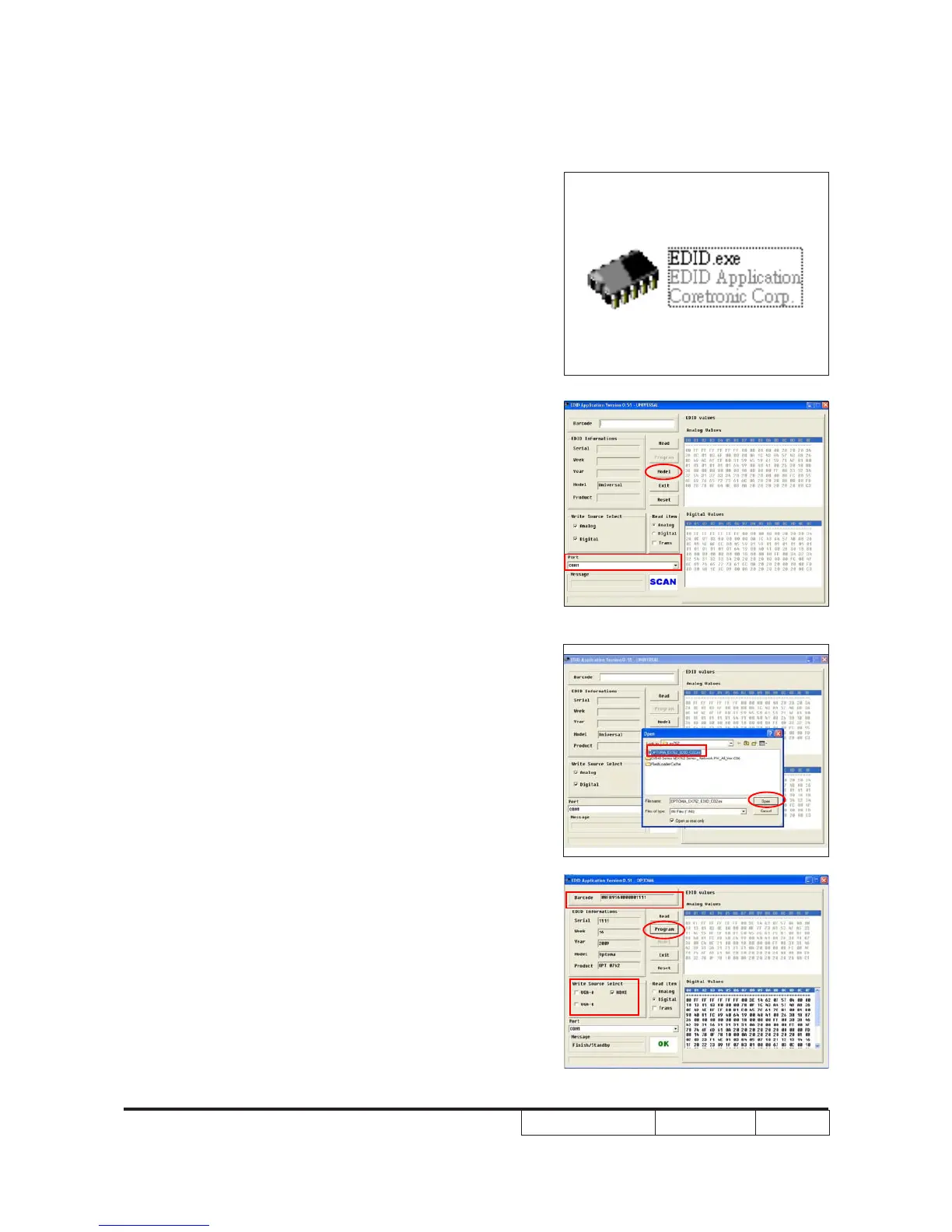
6-6 EDID Key-In Procedure (HDMI)(HDMI)
1. Execute EDID Program
- Double click "EDID" to execute EDID
program.
2. Process
(1) Select the COM Port which you are
using.
(2) Click "Model".
(3) Select the EDID le (*.ini).
(4) Click "Open".
(5) Key in the Serial Number into the
Barcode blank space.
(6) In "Write Source Select" item, select
"HDMI".
(7) Click "Program".
(1)
(2)
(5)
(6)
(7)
(3)
(4)



 To Next Page