EX762/EW762
Condential
6-3
6-3 Setup Procedure (VGA)
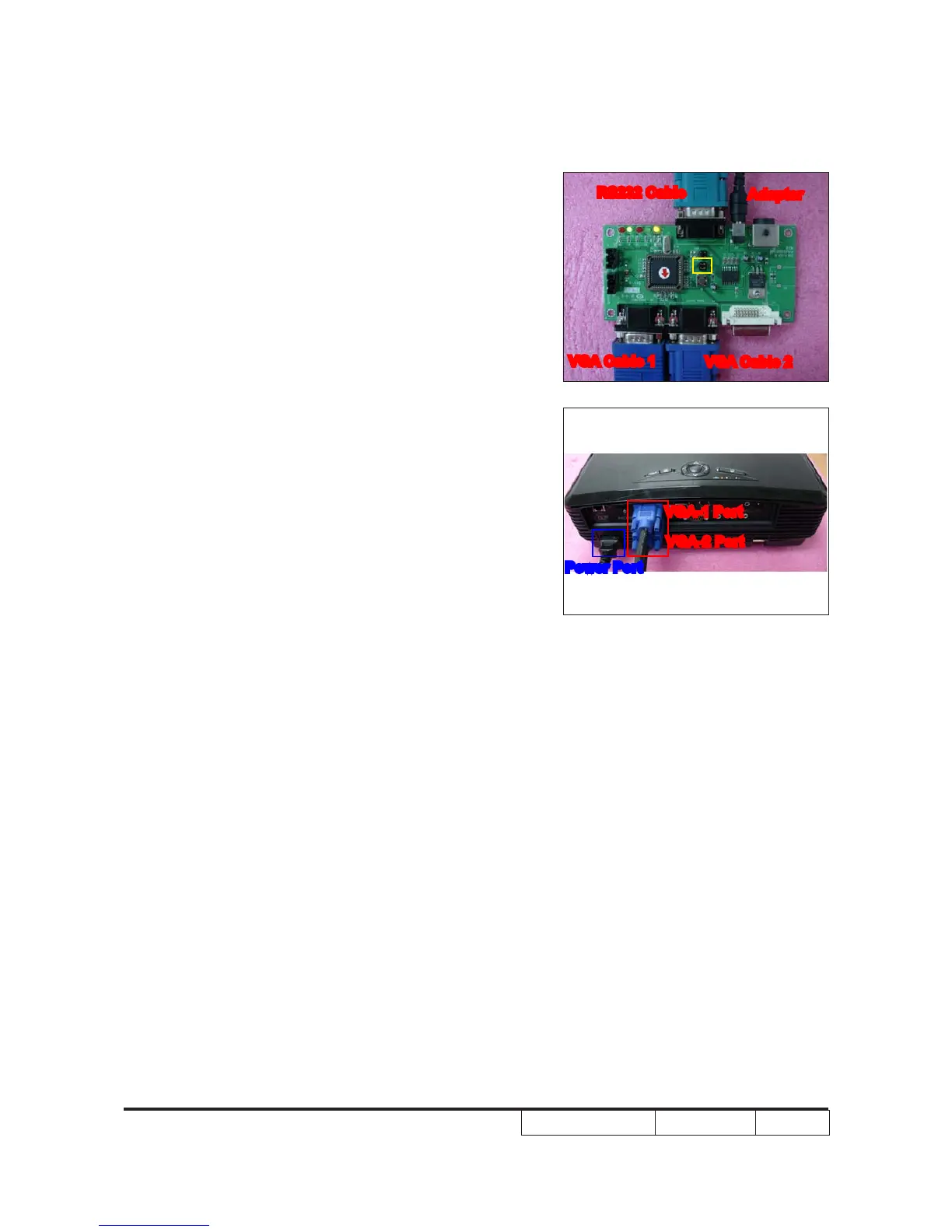
1. Connect all ports
(1) Connect P1 of xture with COM Port of
PC/Laptop by RS232 Cable.
(2) Connect P3 of xture with VGA-1 Port
of projector by VGA Cable 1.
(3) Connect P4 of xture with VGA-2 Port
of projector by VGA Cable 2.
(4) Plug Power Adapter to JP1 of xture.
(5) Power on xture.
(6) Plug Power Cord to projector.
Note: -You must conrm that the JP3 is closed in
all procedure.
JP3
Adapter
RS232 Cable
VGA Cable 2
VGA Cable 1
JP1
P1
P3
P4
VGA-1 Port
VGA-2 Port
Power Port



 To Next Page