EX762/EW762
Condential
5-17
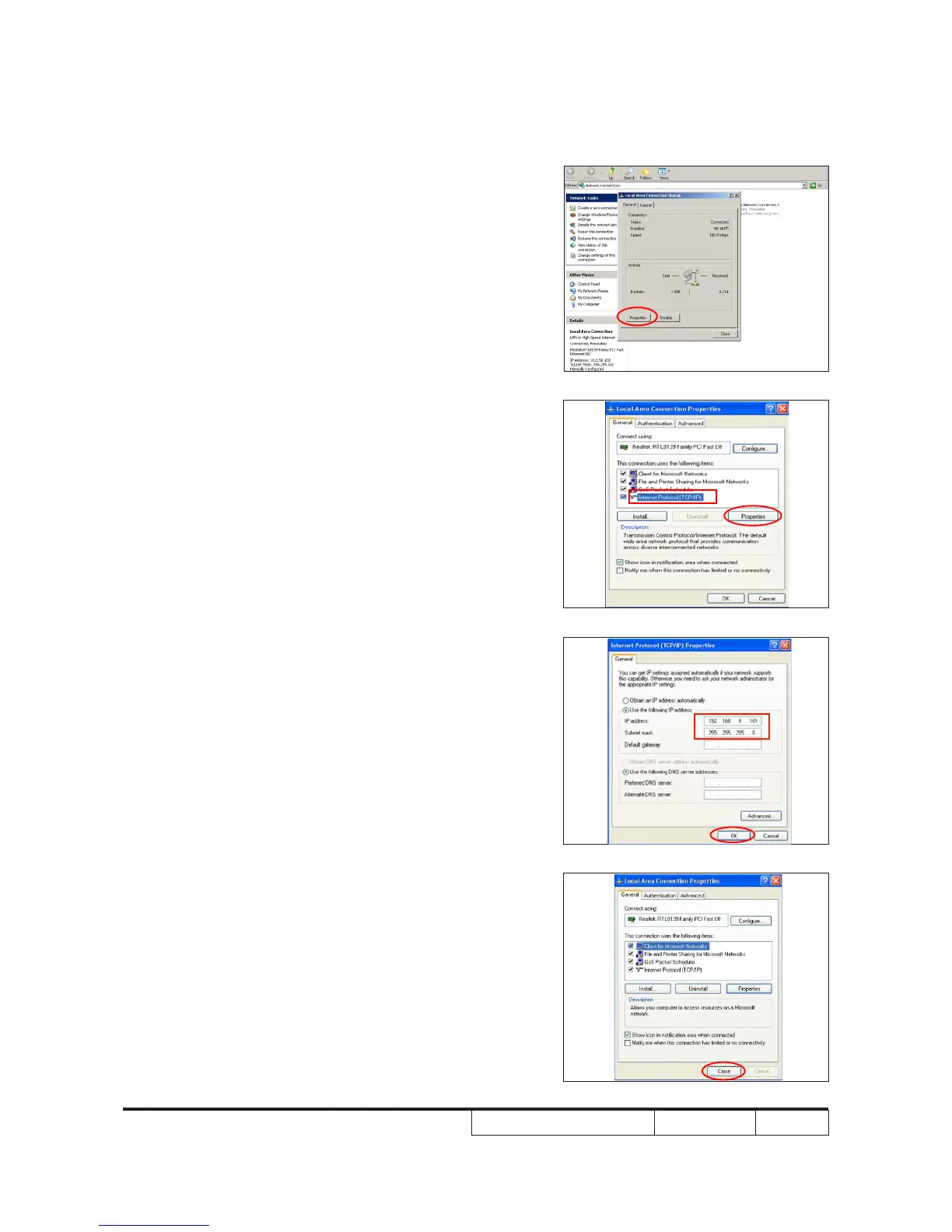
5-3-3 Network Setting
1. Double click the "Local area connection",
choose "Properties".
2. Select "Internet protocol (TCP/IP)", then
click "Properties".
3. Modify the IP address to 192.168.0.101,
and modify Subnet mask to 255.255.255.0.
Note: - The HOST ID (192.168.0.XXX) of PC
IP address must be different from the
projector IP address written down in
step 4 of 5-3-2.
4. Click "OK".
5. Click "Close" to quit the setting screen.



 To Next Page