Delta Elec. Inc. EX779
Company Confidential Optoma__________________ Delta________________
41
2010/04/14
5. Firmware Download
5-1. Projector USB Drivers Installation Guide
The document is to describe the Windows application software “Flash-Tool” for projector firmware.
Its main purpose is to provide a detailed procedure of upgrading the application software of a DLP
TM
projector.
The system requirement and the installation procedure of “Flash-Tool” are also included in the document.
System Requirement
1. IBM compatible PC.
2. Windows XP-SP2 operating system.
Install Flash-Tool to PC
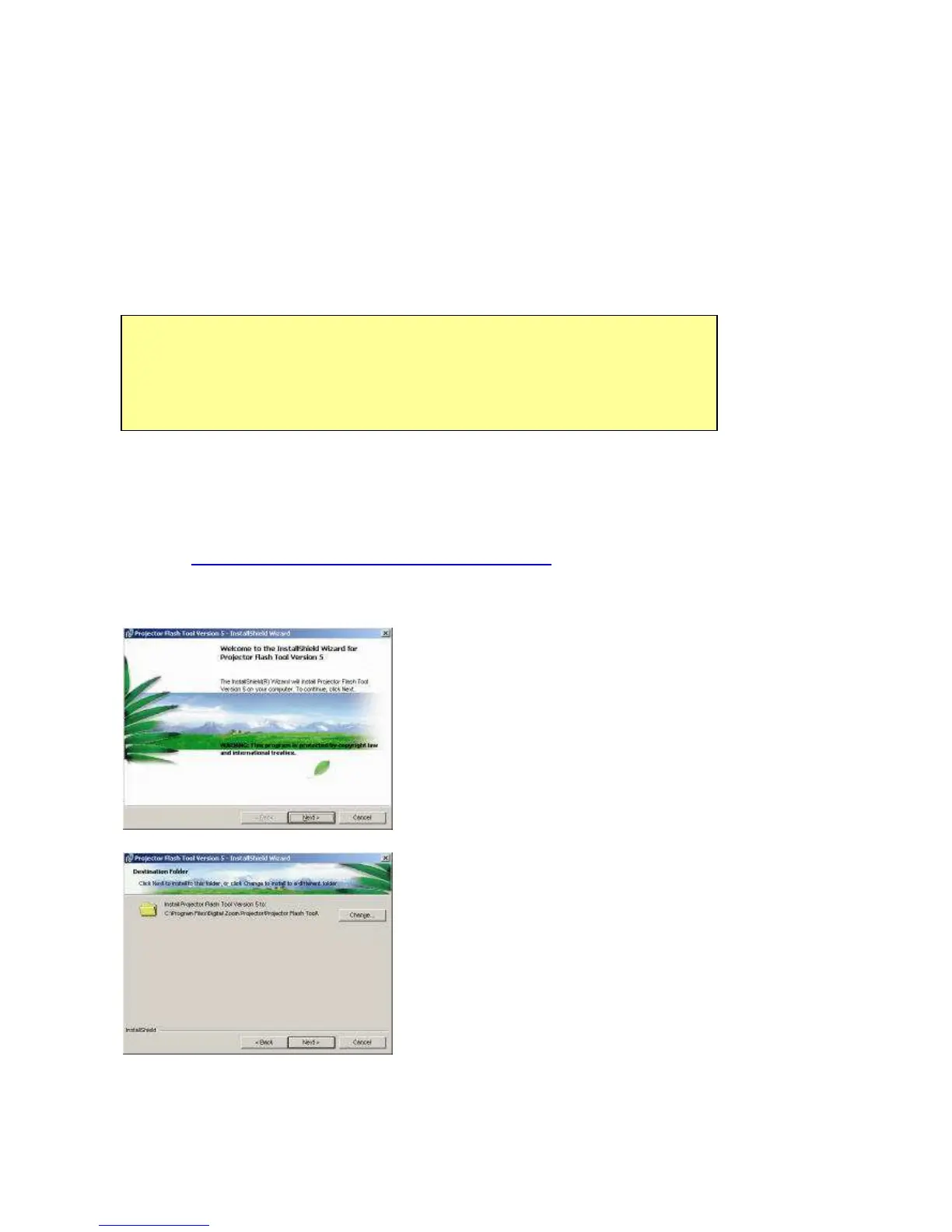
Run the “Digital Zoom Projector Flash Tool V6.0.2.msi” or above version , it will
automatically launch the USB drivers update. Following are the dialogues of the Driver Install
process as below.
(Step 1) This is the first page of install dialog.
Click on the “Next” button to continue, or Click on the
“Cancel” button to cancel the installation.
(Step 2) Driver Destination:
Click on the “Change” button to change the default
directory for saving the driver file somewhere else, or
Click on the “Back” button to return to the previous page,
or Click on the “Cancel” button to cancel the installation
Note:
The user must have administrative privileges on the target computer in order to
install your driver.
The installation target directory must not write protected.
User also required having the basic knowledge of Windows application installation.
Attention: This utility is for DLP
TM
DDP2000/3020/2230/243X series projector only.



 To Next Page