Delta Elec. Inc. EX779
Company Confidential Optoma__________________ Delta________________
94
2010/04/14
11. RJ45
11-1. OSD Setting
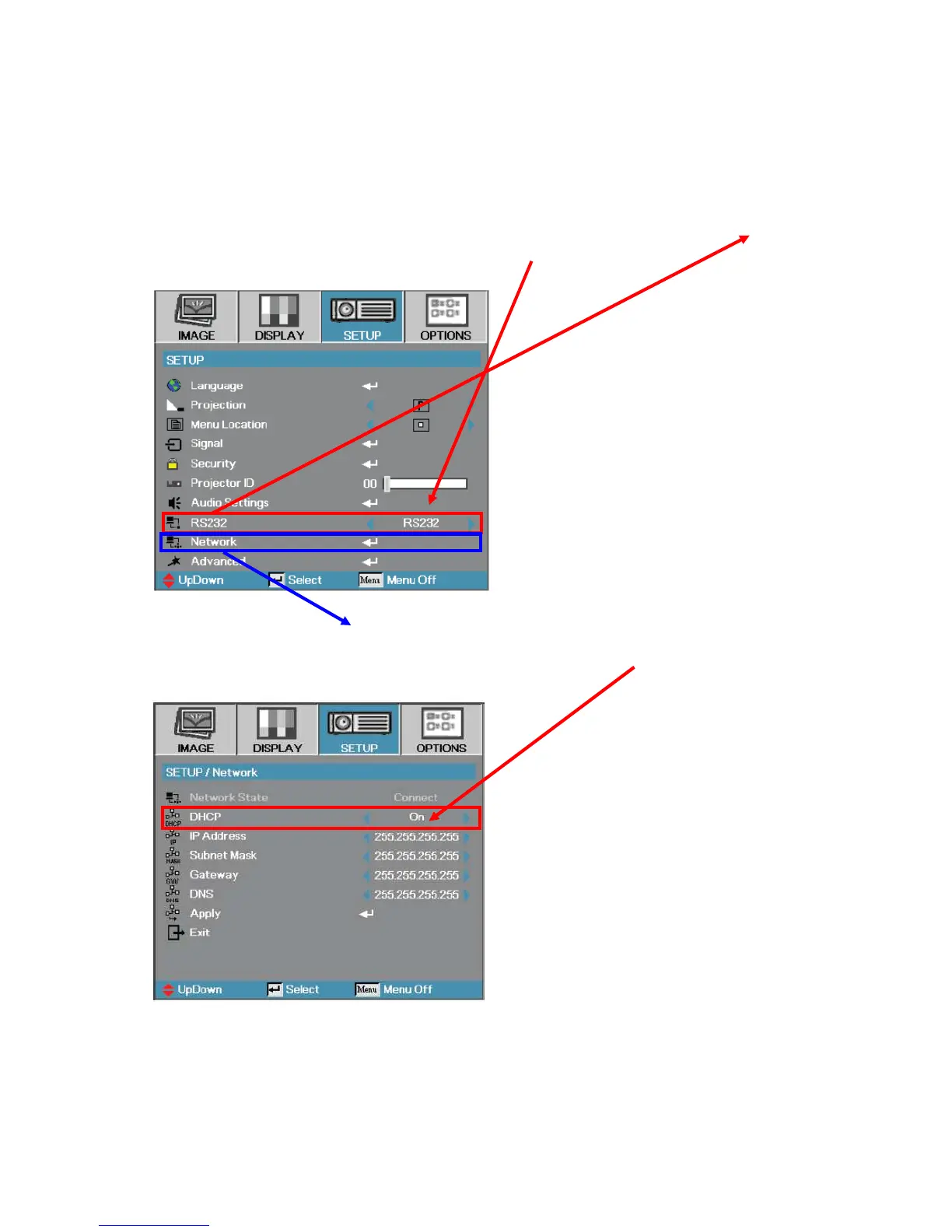
1. Press the “menu” key on the keypad or by remote control, select “SETUP”->“RS232 ”,
then press the “►” key on the keypad to select “Network”.
2. select “SETUP”->“ Network ”, then press “Enter” on the keypad, enter below OSD.
Select “DHCP”, then press “►” key on the keypad to select “off”.
Please be sure the DHCP is off.



 To Next Page