Condential
4-3
HD67
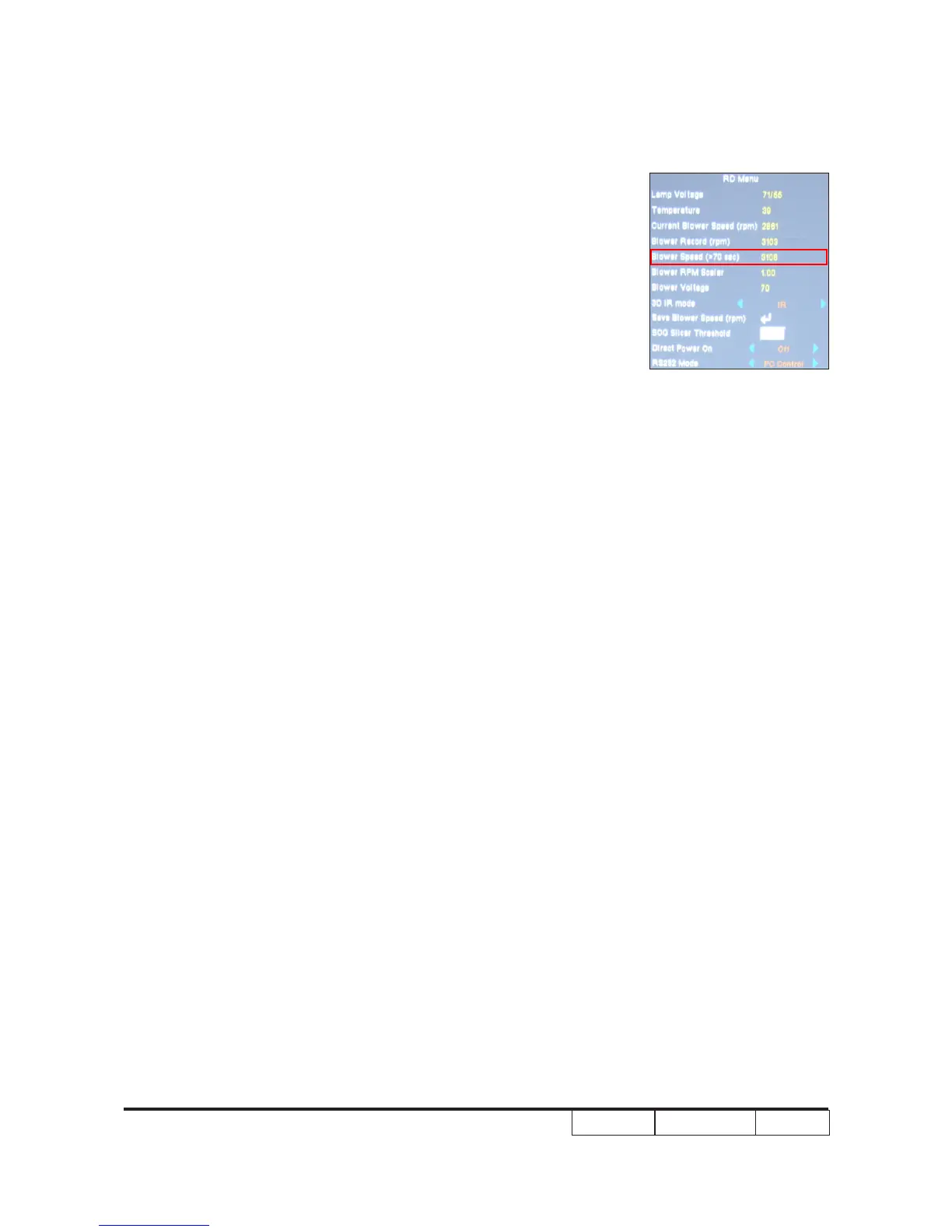
b. To select “RD MENU”, then press “OK”, Fan detail
information will be shown.
Note: After about 70 seconds,If the blower speed(>70 sec) is
not between 2800-3200,you must change fan.
4-5 PC MODE
Note: - Test signal: analog 1280 x 720 @60Hz
- Connect VGA IN port of Projector with VGA port of Chroma
and connect VGA Out port of Projector with VGA port of
Monitor by VGA cable, check if the Projected image
and the LCD image are the same.
4-6 Video Performance
1. 3D Test
Procedure - Test equipment: 1.DVD Player&HQFS format CD
Or 2.PC with 3D Graphic card
Inspection item - 3D test
Inspection Distance - < 6M
Criteria - The image should not appear noise, icker, shadow,
shocking, abnormal color.


 To Next Page