HD67
Condential 2-2
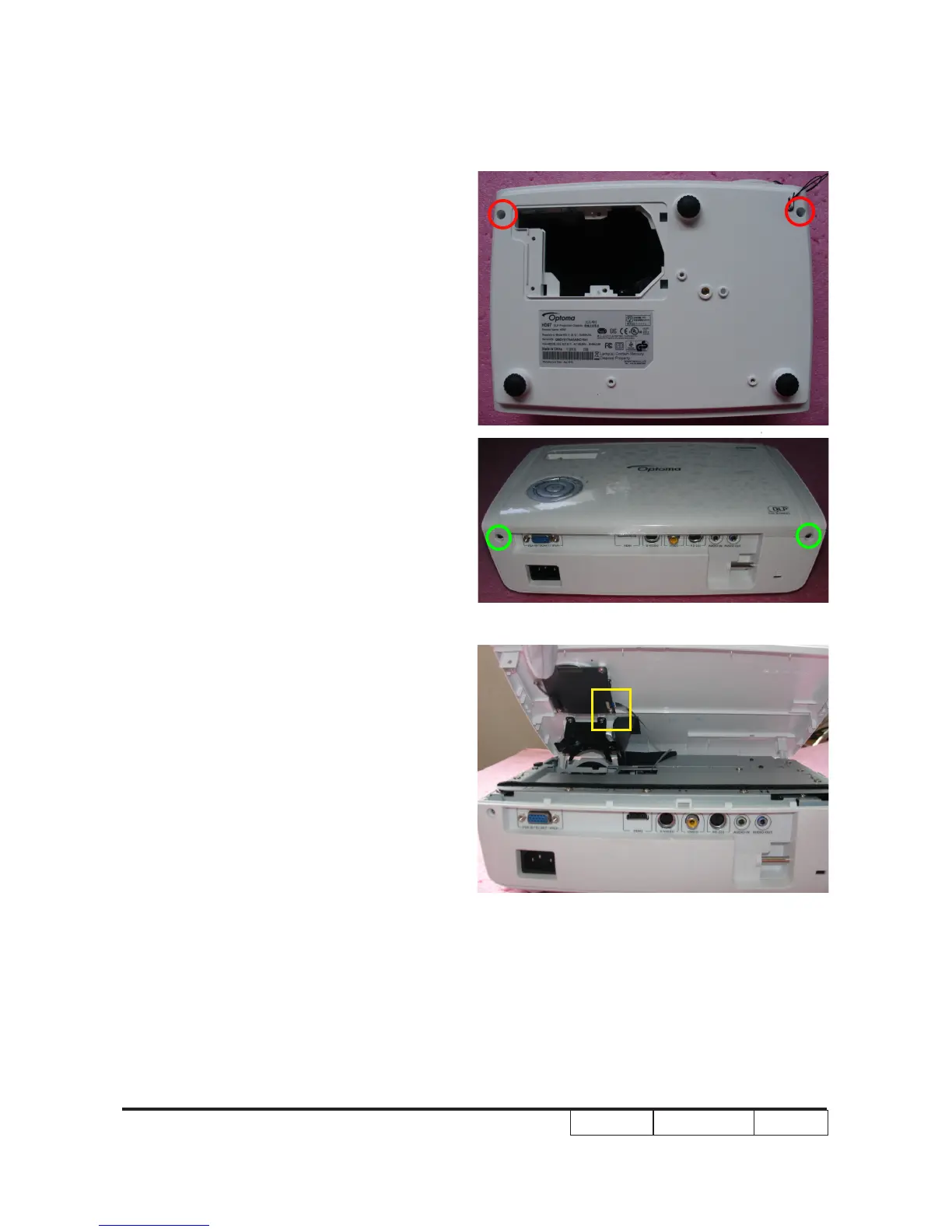
2-1 Disassemble Top Cover
Module
1. Unscrew 2 screws (as red circle) from the
Bottom Cover.
2. Unscrew 2 screws (as green circle) from
the IO Cover .
3. Remove the Top Cover Module.
Note: - When you remove the Top Cover,
take care of the connector (as yellow
square) which connected Main Board
and Keypad Board Module, then
unplug it from Keypad Board Module.
- Avoid damaging by pulling keypad FPC
cable.
- Make sure the FPC cable plug into the
correct ports when assembling it.



 To Next Page