HD67
Condential 2-4
1
2
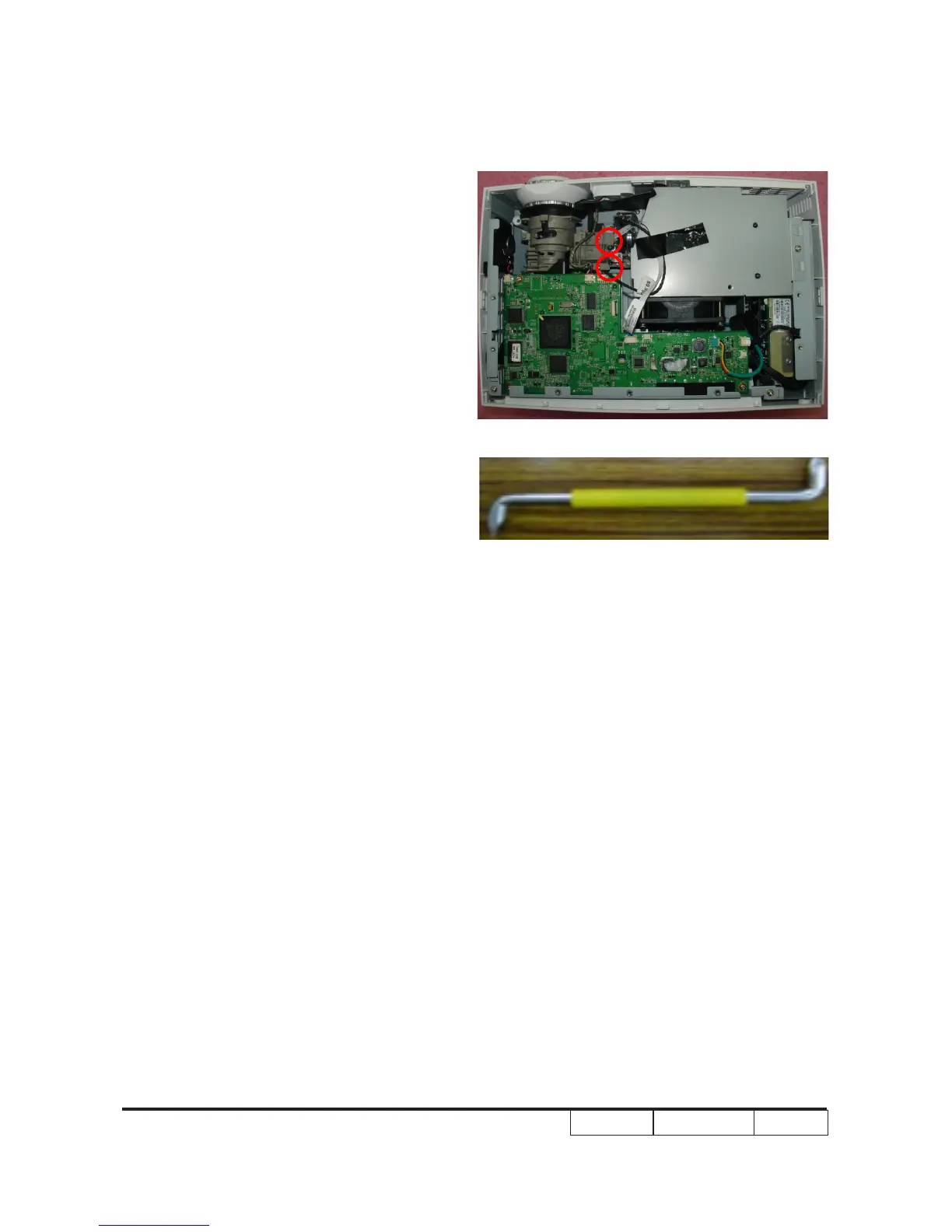
2-3 Rod Adjustment
1. Environment Adjustment
- The distance between the engine and
the screen is 2.4 M.
- This process should be done at a dark
environment (under 2 Lux).
2. Procedure Adjustment
- Change the screen to "white screen".
- Adjust the screws by using the rod
on the engine module to readjust the
image.
("screw 1" should be adjusted rst, and
then "screw 2". Adjust until the yellowish
or bluish parts disappeared.)
3. Abnormal image inspection
- It should not have any abnormal color
at the rim of the image by estimating
through the eyes.
Note: - To avoid over adjusting the rod.
- After the opreation, please use the glue
to x the screws.
Z type driver



 To Next Page