28
English
User Controls
Display
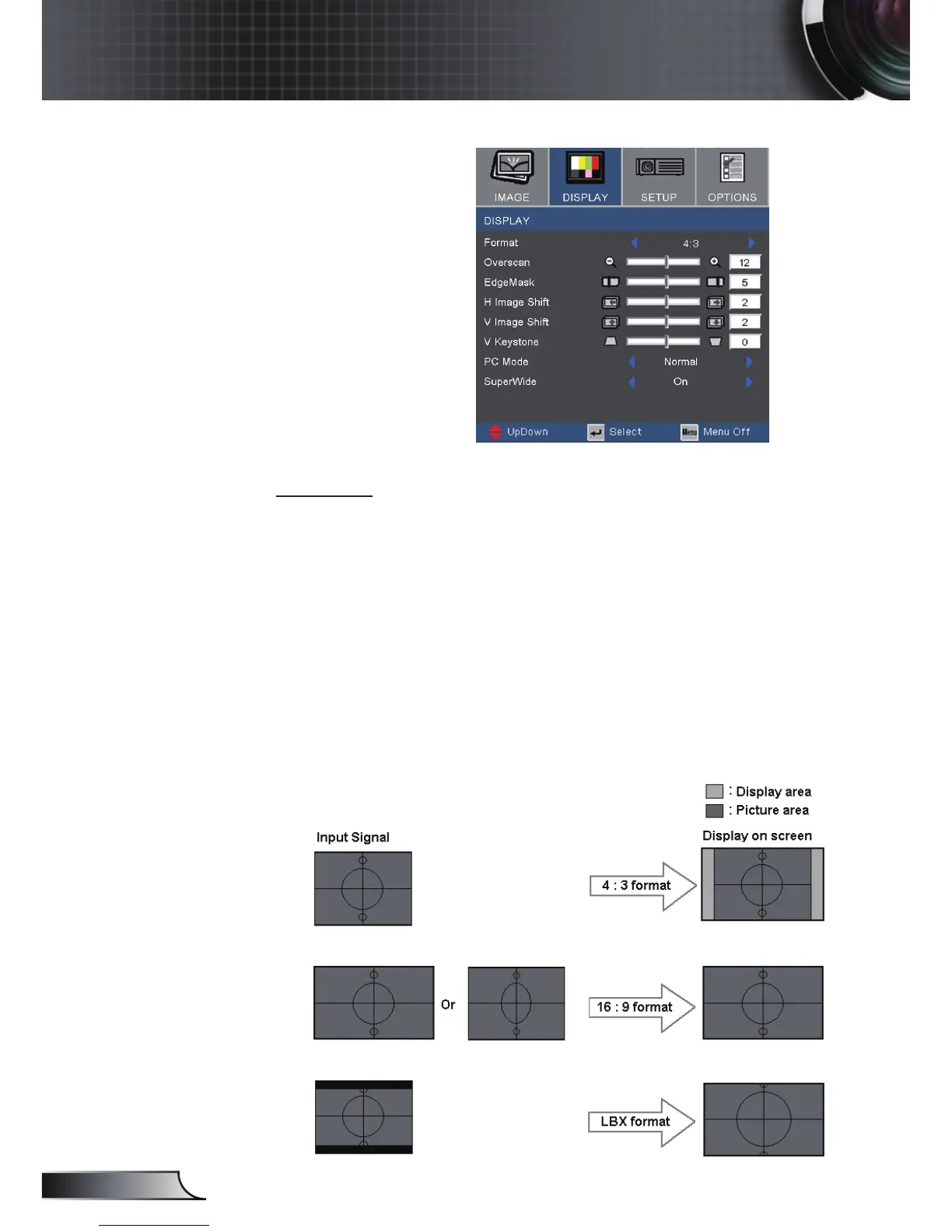
Format
Use this function to choose your desired aspect ratio.
4:3: This format is for 4x3 input sources not enhanced for Wide
screen TV.
16:9: This format is for 16x9 input sources, like HDTV and DVD
enhanced for Wide screen TV.
LBX: This format is for non-16x9, letterbox source and for users
who use external 16x9 lens to display 2.35:1 aspect ratio using
full resolution.
Native: This format displays the original image without any
scaling.



 To Next Page