12
Pairing with a Mac
The connection instructions below apply to owners of all current and
recent iOS versions
1. Power your Mac
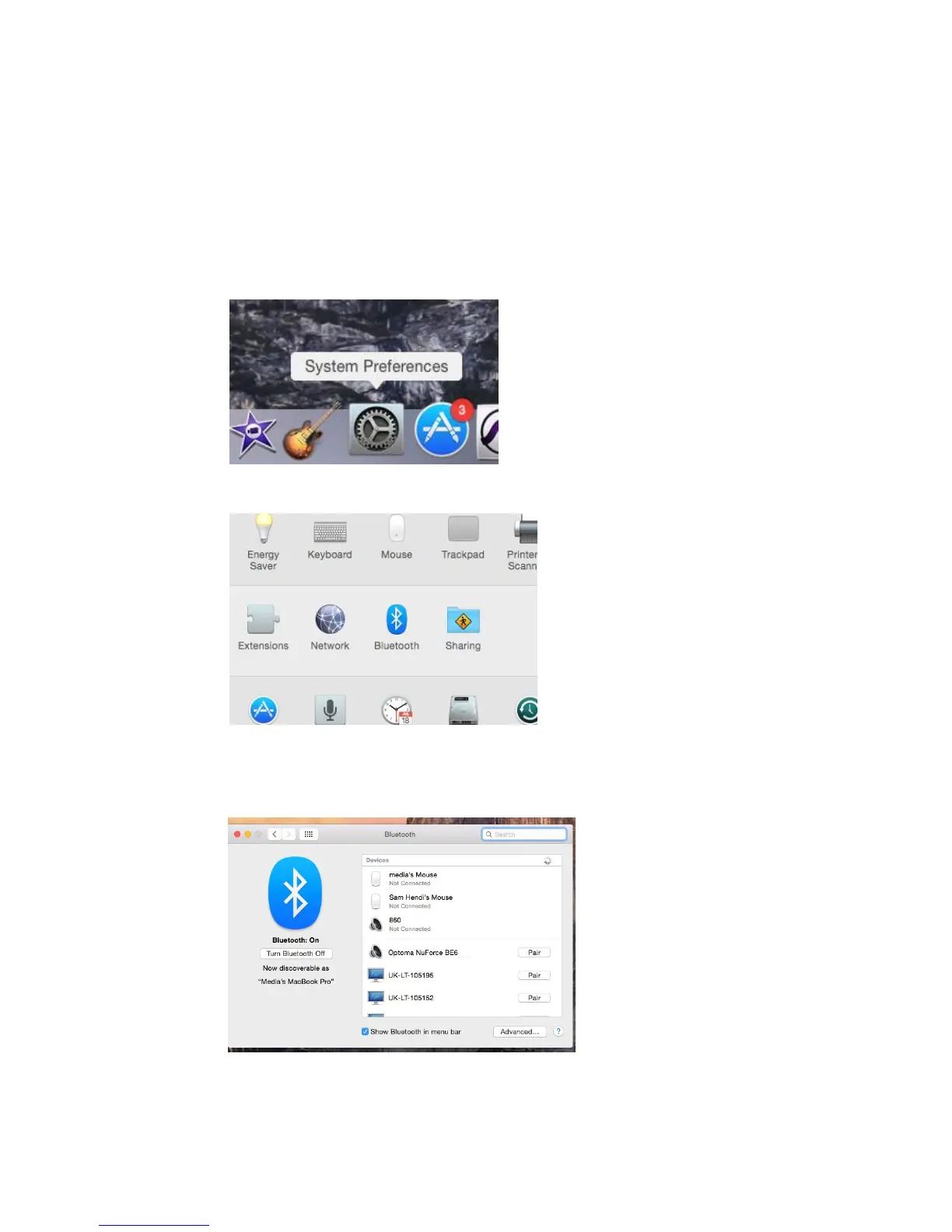
2. Open “System Preferences”
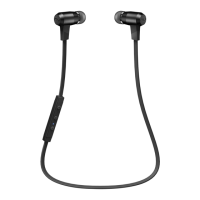
3. Click on the Bluetooth symbol
4. Turn the Optoma NuForce BE6 to “Pairing Mode”
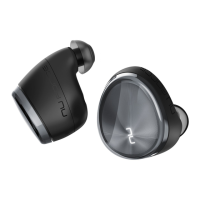
5. When the Optoma NuForce BE6 is discovered by your Mac
click on “Pair”
6. Your Mac is now ready to play audio via the BE6



 To Next Page