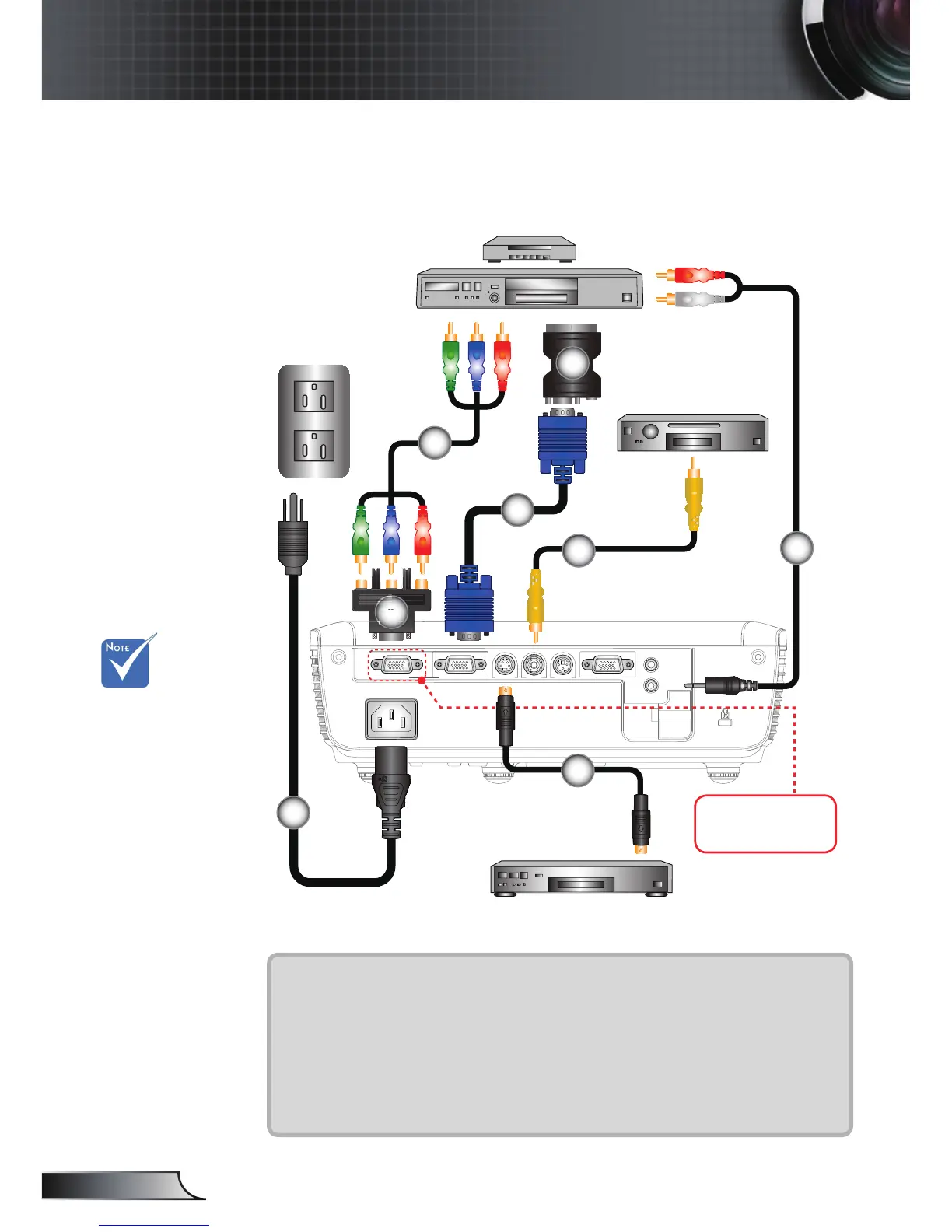
Connect to Video Sources
1....................................................................................................Power Cord
2.....................................................................................................VGA Cable
3................................................................................*Composite Video Cable
4.............................................................................................. *S-Video Cable
5................................................*15-Pin to 3 RCA Component/HDTV Adaptor
6.............................................................................*3 RCA Component Cable
7................................................................................... *SCART/VGA Adaptor
8.................................................................................*Audio Cable Jack/RCA
Due to the
difference in
applications
for each
country, some
regions may
have different
accessories.
(*) Optional
accessory
DVD Player, Set-top Box,
HDTV receiver
S-Video Output
Only present on
XGA models.
1
3
4
8
6
2
7
5
Composite Video Output



 To Next Page