English
51
ADDITIONAL INFORMATION
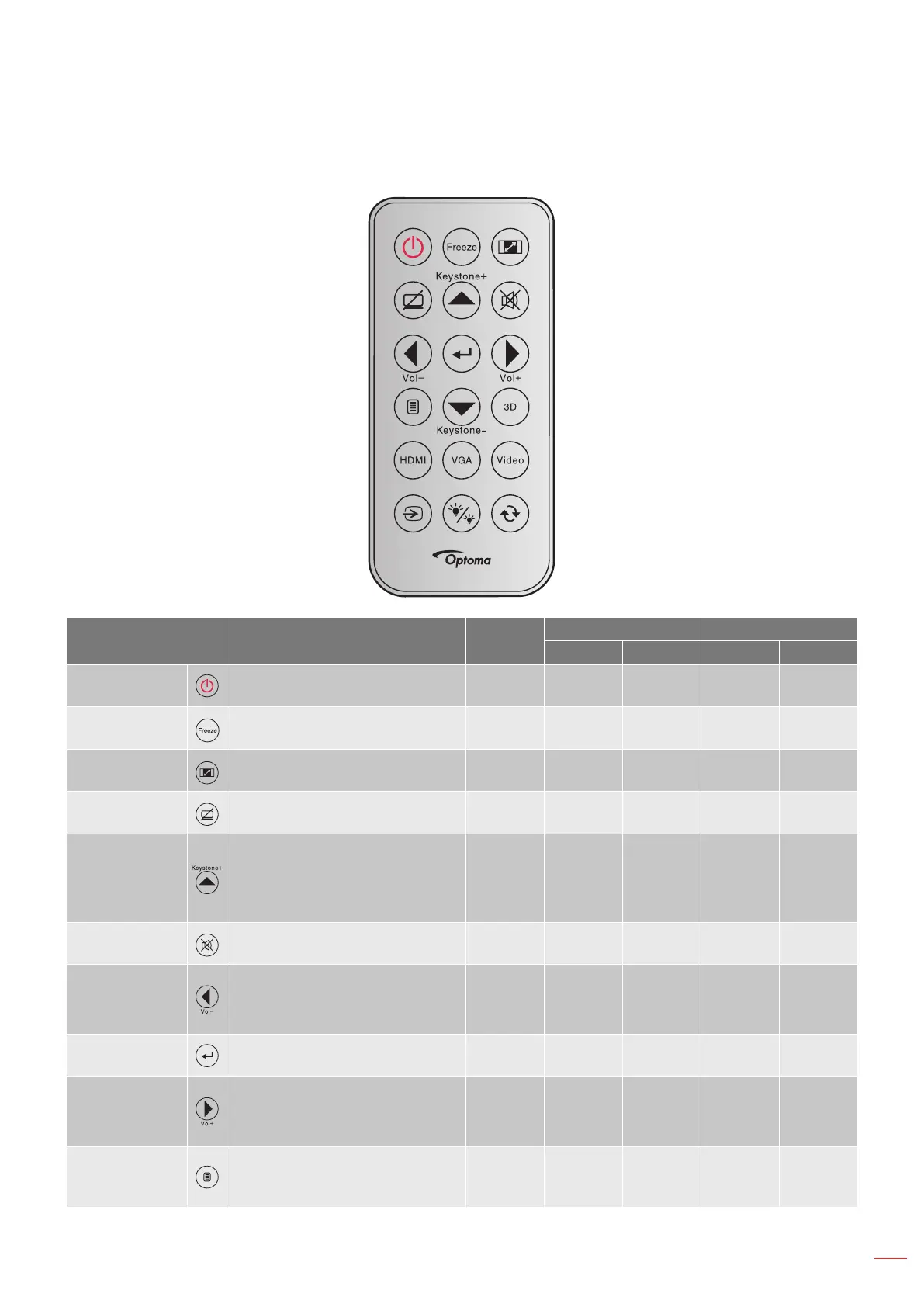
IR remote codes
Key legend Description
Repeat
format
Address Data
byte 1 byte 2 byte 3 byte 4
Power
Press to turn on / off the projec-
tor.
F1 32 CD 81 7E
Freeze
Press to freeze the projector
image.
F1 32 CD 87 78
Aspect
Press to change aspect ratio of
a displayed image.
F1 32 CD 98 67
AV mute
Press to turn off/ on projector
built-in speaker
F1 32 CD 8A 75
Keystone+/up
Press to adjust image
distortion caused by tilting
the projector.
Press to navigate up.
F2 32 CD 85 7A
Mute
Press to momentarily turn off /
on the audio.
F1 32 CD 92 6D
Left/Vol-
Press to adjust to
decrease the volume.
Press to navigate left.
F2 32 CD 8F 70
Enter Conrm your item selection. F1 32 CD C5 3A
Right/Vol+
Press to adjust to increase
the volume.
Press to navigate right.
F2 32 CD 8C 73
Menu
Press to display or exit the
on-screen display menus for
projector.
F1 32 CD 88 77



 To Next Page