English
20
SETUP AND INSTALLATION
Installing / replacing the batteries
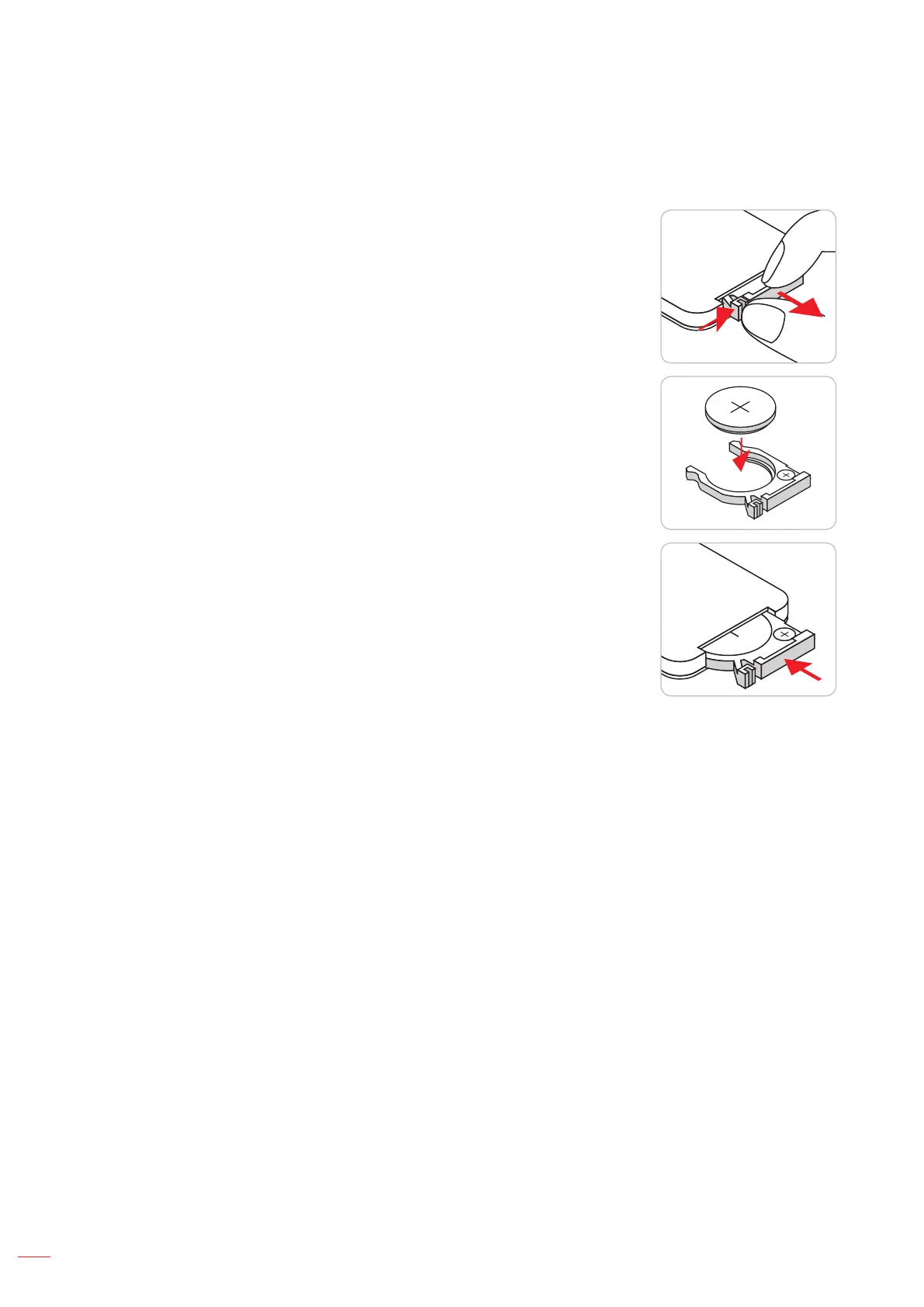
1. Press rmly and slide the battery cover off.
M
n
O
2
-
L
i
C
E
L
L
3
V
O
L
T
S
J
A
P
A
N
H
CR2025
2. Install new battery into the compartment. Remove the old battery and
install new one (CR2025). Ensure that the side with a “+” is facing
up.
3
V
O
L
T
S
CR2025
3. Put the cover back.
CAUTION: To ensure safe operation, please observe the following precautions:
Use CR2025 type battery.
Avoid contact with water or liquid.
Do not expose the remote control to moisture or heat.
Do not drop the remote control.
If the battery has leaked in the remote control, carefully wipe the case clean and install new battery.
Risk of an explosion if battery is replaced by an incorrect type.
Dispose of used battery according to the instructions.


 To Next Page