English
52
USING THE PROJECTOR
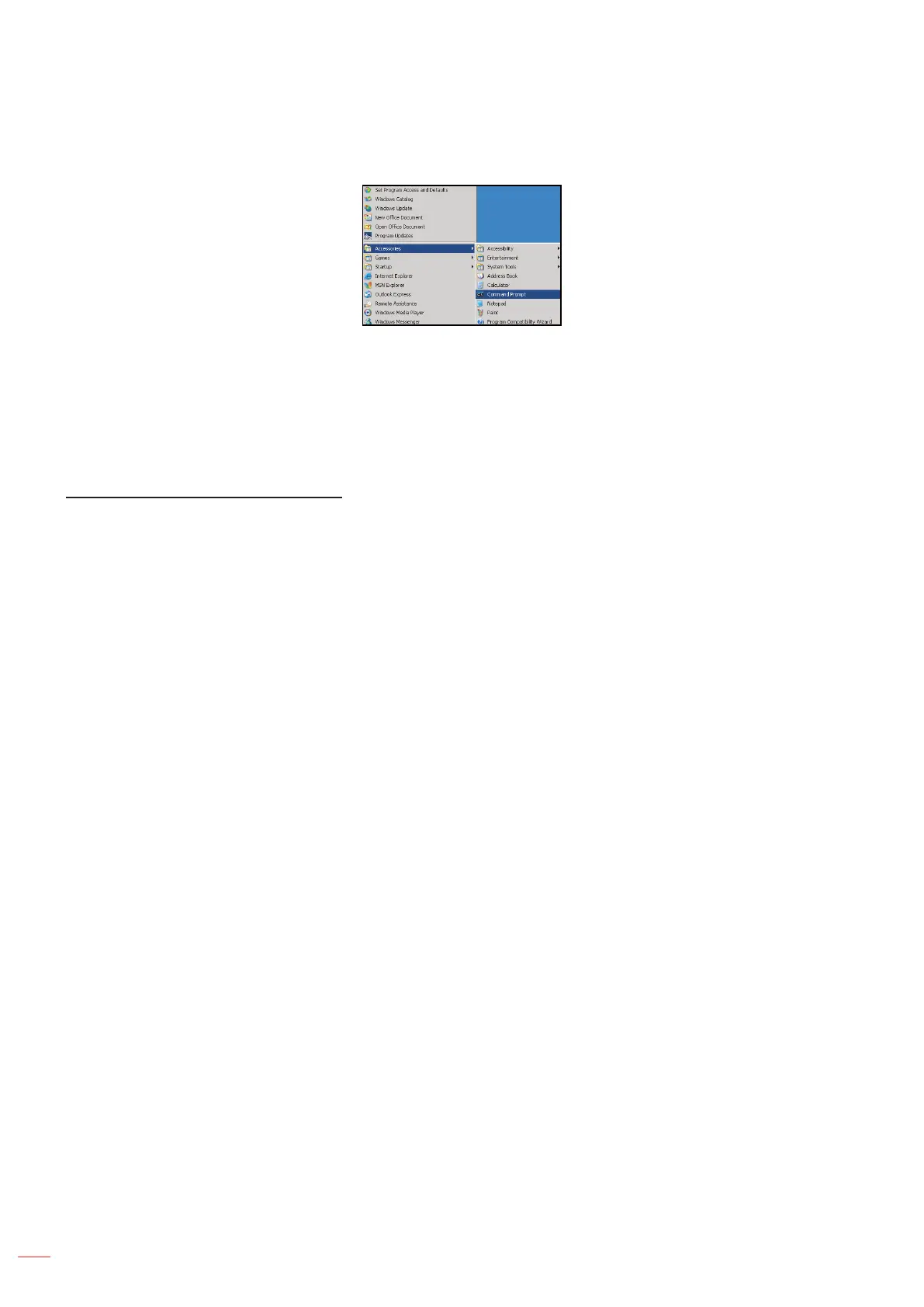
1. Select Start > All Programs.> Accessories > Command Prompt.
2. Input the command format as follows:
± telnet ttt.xxx.yyy.zzz 23 (“Enter” key pressed)
± (ttt.xxx.yyy.zzz: IP-Address of the projector)
3. If Telnet-Connection ready, and user can have RS232 command input, then “Enter” key pressed, the
RS232 command will be workable.
Specication for “RS232 by TELNET”:
1. Telnet: TCP.
2. Telnet port: 23 (for more detail, kindly please get contact with the service agent or team).
3. Telnet utility: Windows “TELNET.exe” (console mode).
4. Disconnection for RS232-by-Telnet control normally: Close
5. Windows Telnet utility directly after TELNET connection ready.
± Limitation 1 for Telnet-Control: there is less than 50 bytes for successive network payload for
Telnet-Control application.
± Limitation 2 for Telnet-Control: there is less than 26 bytes for one complete RS232 command for
Telnet-Control.
± Limitation 3 for Telnet-Control: Minimum delay for next RS232 command must be more than 200 (ms).
Info menu
Info menu
View the projector information as listed below:
Regulatory
Serial Number
Source
Resolution
Refresh Rate
Display Mode
Power Mode (Standby)
Lamp Hours
Network Status (Type 2 only)
IP Address
Projector ID
Filter Usage Hours
Brightness Mode
FW Version


 To Next Page