English
47
USING THE PROJECTOR
Reset
Reset all values for LAN parameters.
Network control menu
Crestron
Use this function to select the network function (port: 41794).
For more information, please visit http://www.crestron.com and www.crestron.com/getroomview.
Extron
Use this function to select the network function (port: 2023).
PJ Link
Use this function to select the network function (port: 4352).
AMX Device Discovery
Use this function to select the network function (port: 9131).
Telnet
Use this function to select the network function (port: 23).
HTTP
Use this function to select the network function (port: 80).
Setup network control settings menu
LAN_RJ45 function
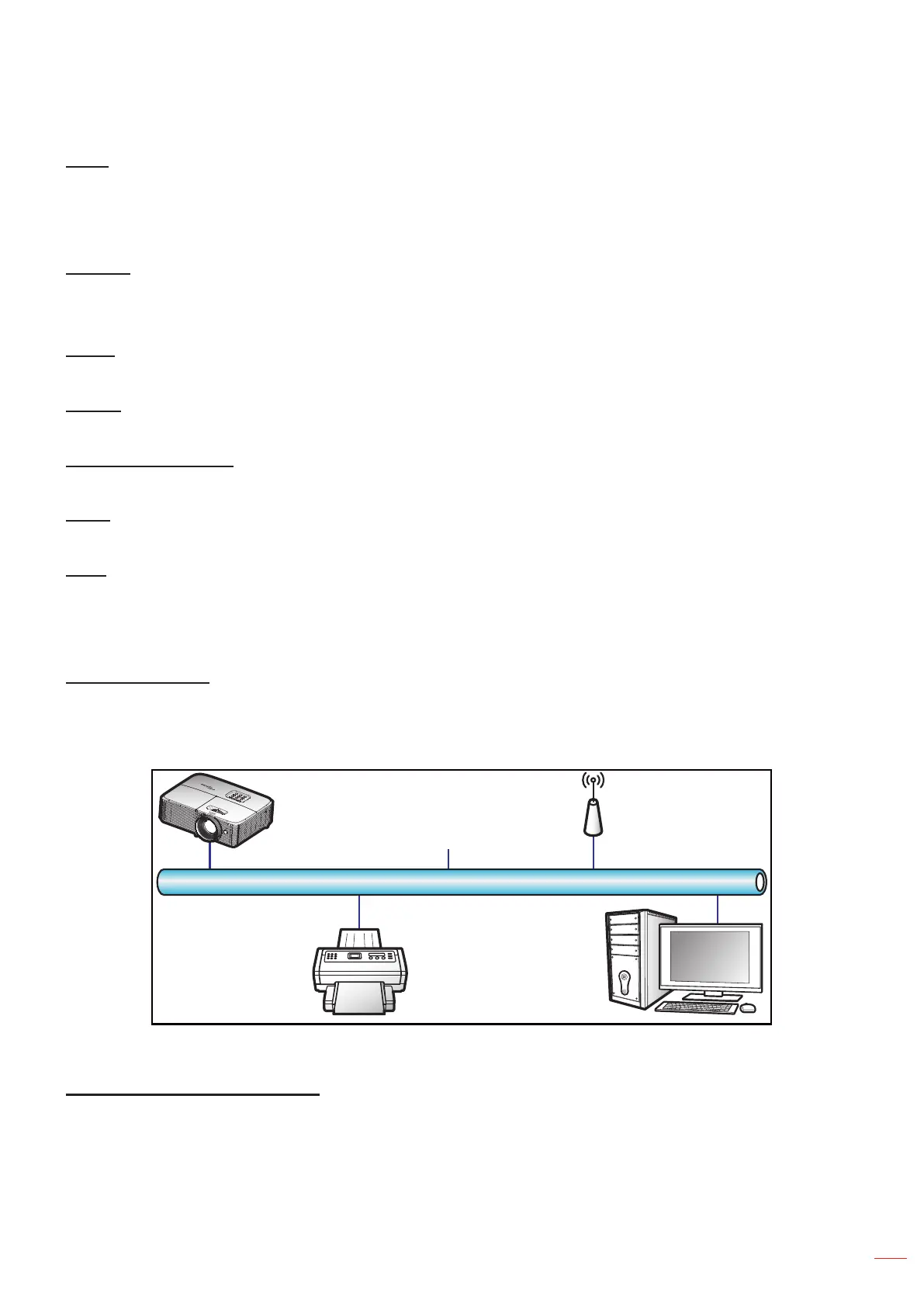
For simplicity and ease of operation, the projector provides diverse networking and remote management features.
The LAN / RJ45 function of the projector through a network, such as remotely manage: Power On / Off, brightness,
and contrast settings. Also, you can view the projector status information, such as: Video- Source, Sound-Mute, etc.
(Ethernet)
Projector
Wired LAN terminal functionalities
This projector can be controlled by using a PC (laptop) or other external device via LAN / RJ45 port and compatible
with Crestron / Extron / AMX (Device -Discovery) / PJLink.
Crestron is a registered trademark of Crestron Electronics, Inc. of the United States.
Extron is a registered trademark of Extron Electronics, Inc. of the United States.
AMX is a registered trademark of AMX LLC of the United States.


 To Next Page