optris PI – E2010-03-A
14
Start-Up
Please install at first the software PIConnect from the CD, as described in the next chapter. The CD contains the
software application as well as the unit specific calibration data. These data will be installed also automatically.
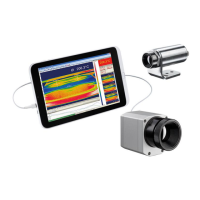
Now you can connect the infrared imager to a free USB port (USB 2.0) of your PC.
After the software has been started, you should see the live image from the camera inside a window on your PC
screen.
In case you are using more than one PI simultaneously go to Devices to select required PI from the list.
The sharpness of the image can be adjusted by turning the exterior lens ring.
after starting PIConnect software



 To Next Page