Enabling RADIUS Authentication, Authorization, and Accounting
5-12 Oracle Database Advanced Security Administrator's Guide
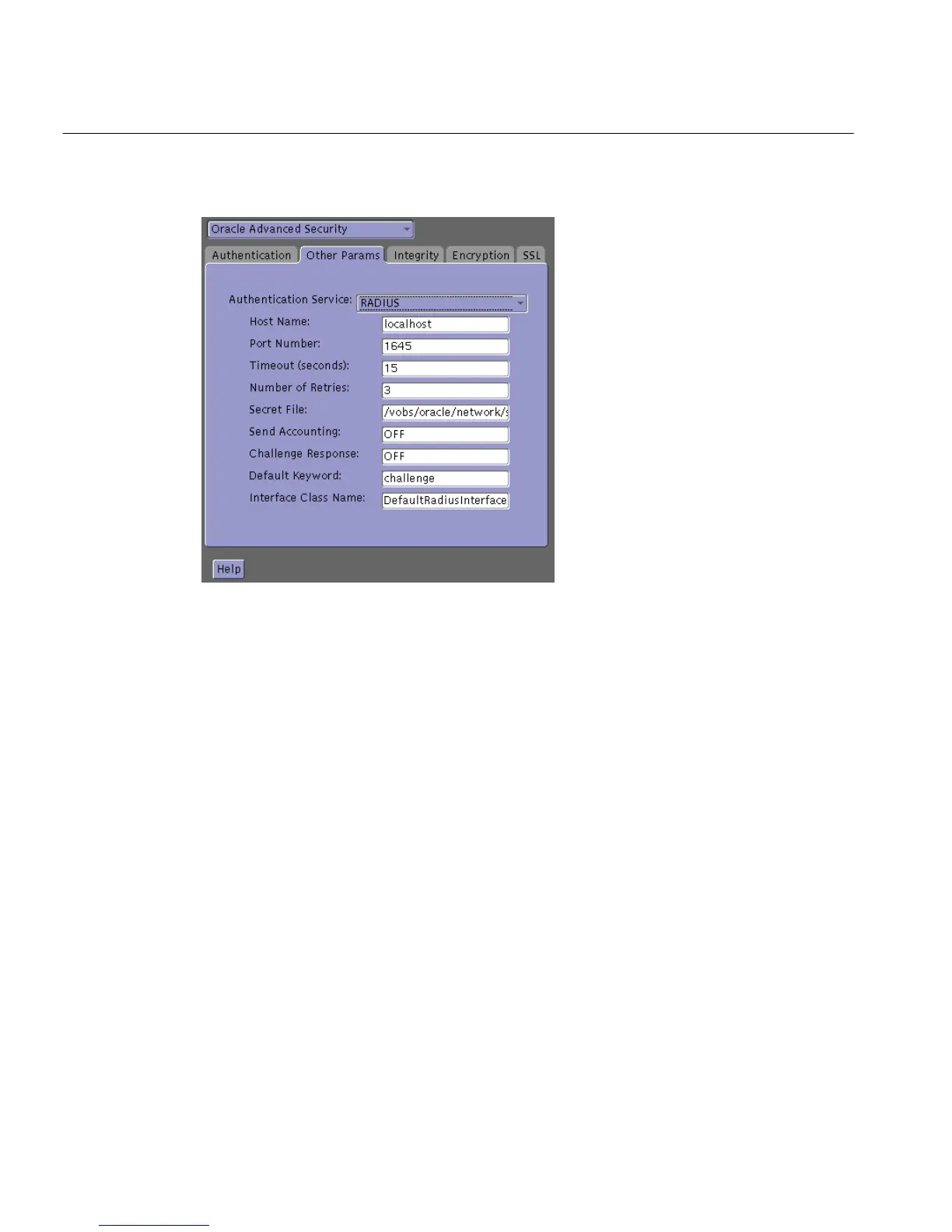
Figure 5–5 Oracle Advanced Security Other Params Window
7.
From the Authentication Service list, select RADIUS.
8. In the Host Name field, accept the localhost as the default primary RADIUS
server, or enter another host name.
9. Ensure that the default value of the Secret File field is valid.
10. Choose File > Save Network Configuration.
The sqlnet.ora file is updated with the following entries:
SQLNET.AUTHENTICATION_SERVICES=RADIUS
SQLNET.RADIUS_AUTHENTICATION=RADIUS_server_{hostname|IP_address}
Set Oracle Database Server Initialization Parameters
Configure the initialization parameter file, located in
■ (UNIX) $ORACLE_BASE/admin/db_name/pfile
■ (Windows) ORACLE_BASE\admin\db_name\pfile
with the following values:
REMOTE_OS_AUTHENT=FALSE



 To Next Page