Enabling SSL
7-26 Oracle Database Advanced Security Administrator's Guide
1.
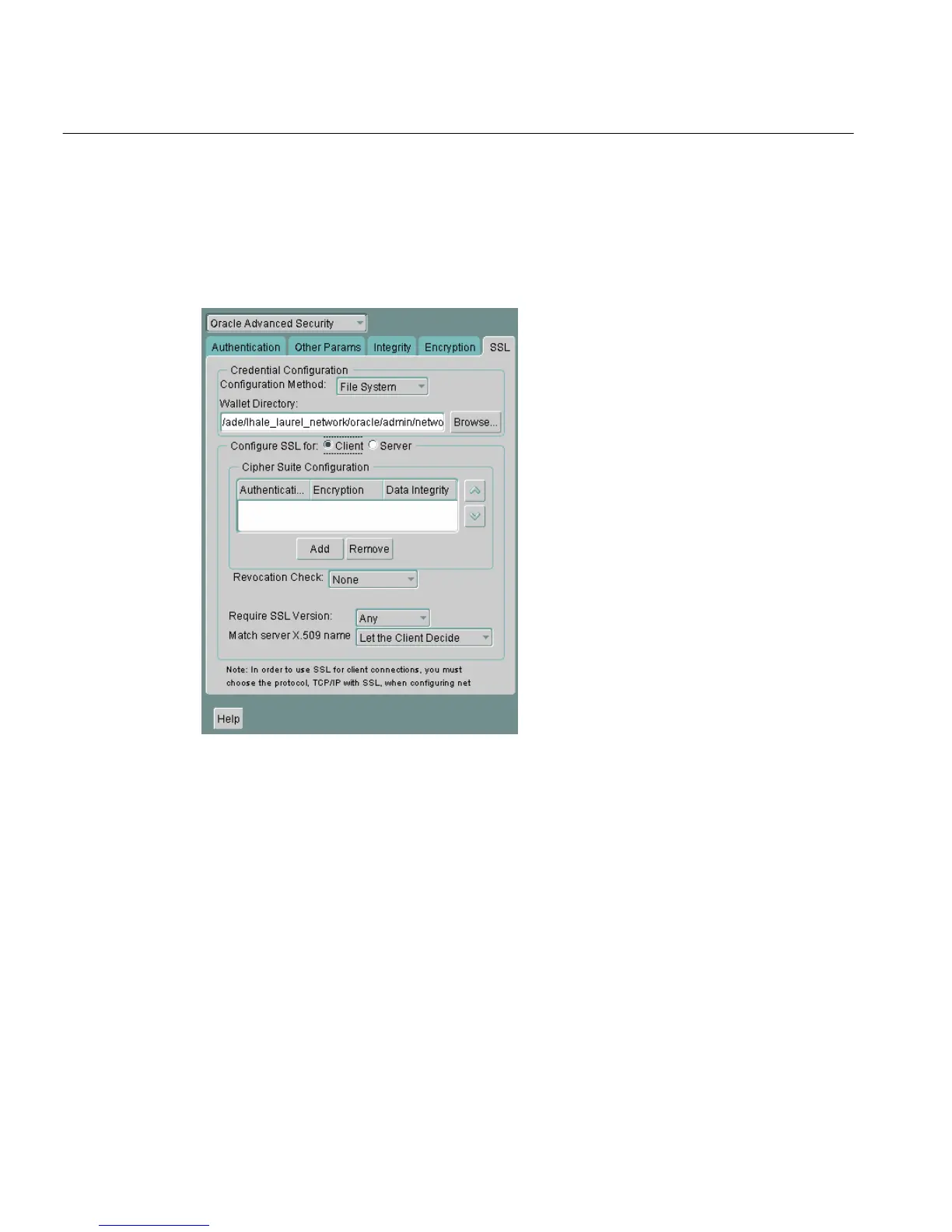
Navigate to the Oracle Advanced Security profile. (See "Navigating to the
Oracle Advanced Security Profile" on page 2-3) The Oracle Advanced Security
SSL window appears (Figure 7–5):
Figure 7–5 Oracle Advanced Security SSL Window (Client)
2.
Choose the SSL tab.
3. Select Configure SSL for: Client.
4. In the Wallet Directory box, enter the directory in which the Oracle wallet is
located, or click Browse to find it by searching the file system.
5. From the Match server X.509 name list, choose one of the following options:
■ Yes: Requires that the server's distinguished name (DN) match its service
name. SSL ensures that the certificate is from the server and connections
succeed only if there is a match.



 To Next Page