Enabling SSL
Configuring Secure Sockets Layer Authentication 7-29
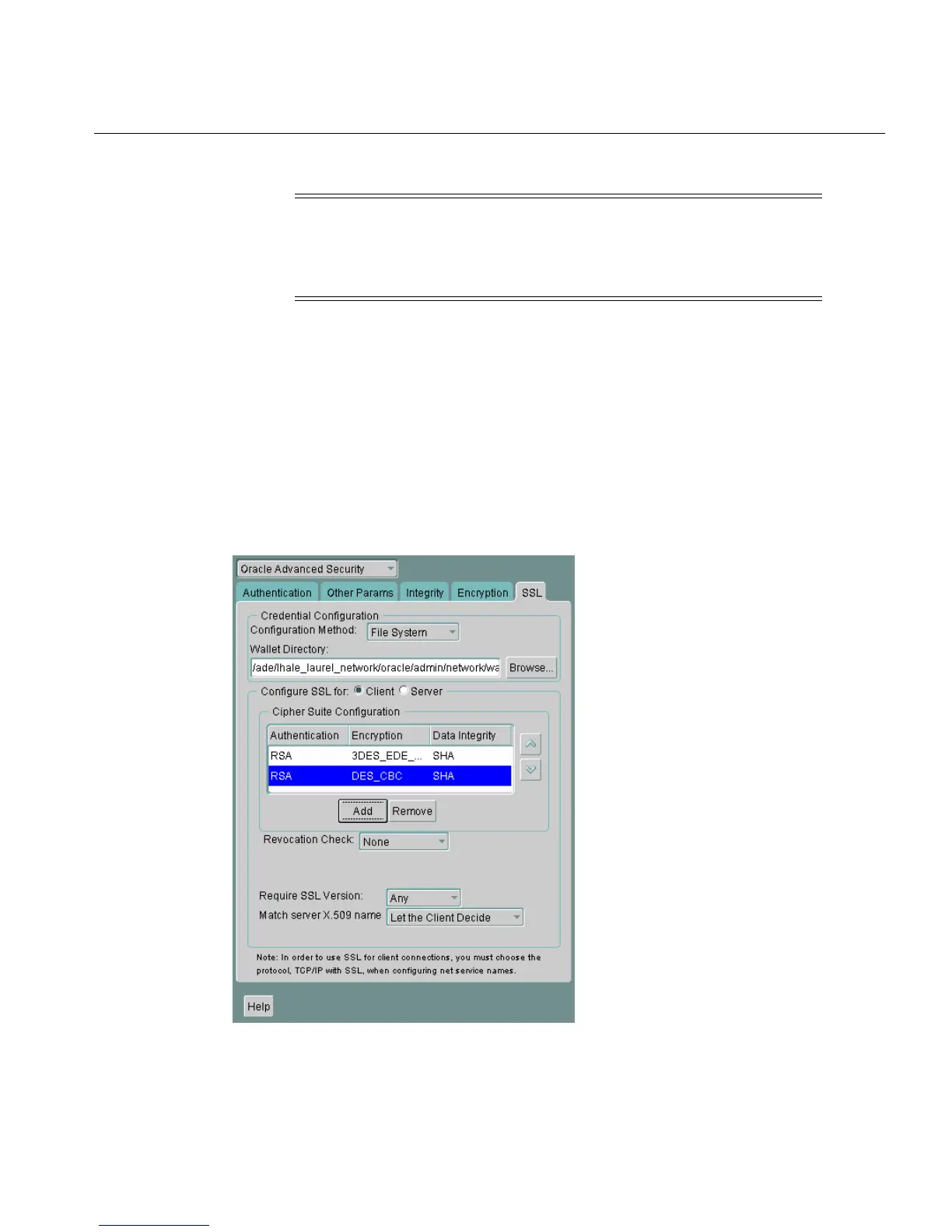
To specify client cipher suites:
1. Navigate to the SSL tab of the Oracle Advanced Security window in Oracle Net
Manager, and select Configure SSL for Client.
2. In the Cipher Suite Configuration region, click Add. A dialog box displays
available cipher suites (Figure 7–2).
3. Select a suite and click OK. The Cipher Suite Configuration list is updated
(Figure 7–6):
Figure 7–6 Oracle Advanced Security SSL Window (Client)
Note: If the SSL_CLIENT_AUTHENTICATION parameter is set to
true in the sqlnet.ora file, then disable all cipher suites that use
Diffie-Hellman anonymous authentication. Otherwise, the
connection fails.



 To Next Page