Enterprise User Security Configuration Overview
Enterprise User Security Configuration Tasks and Troubleshooting 12-3
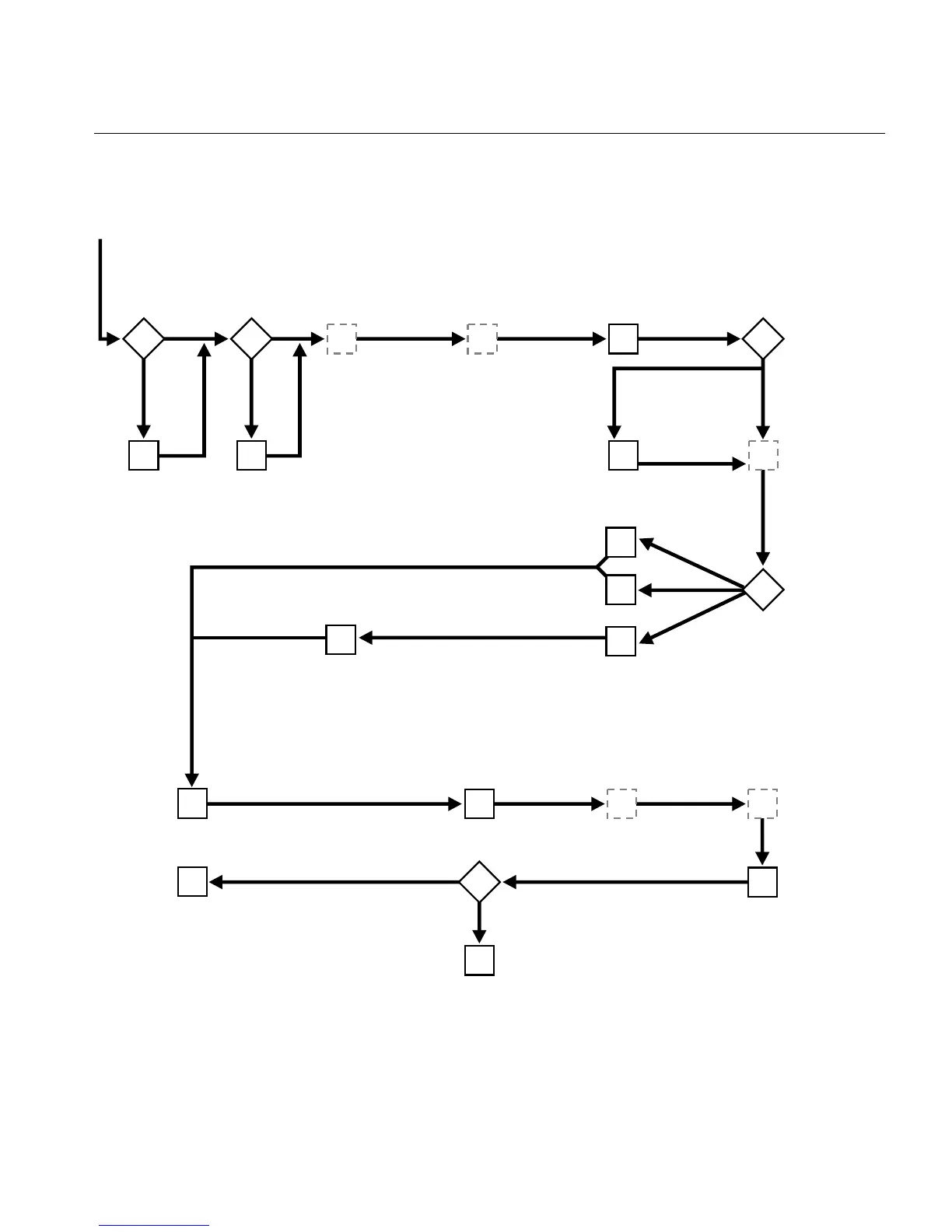
Figure 12–1 Enterprise User Security Configuration Flow Chart
What OID version
and realm Oracle
Context version
do you
have?
ESM: Set Login
Name attribute,
user and group
search bases for
the IM Realm.
Upgrade OID
or Create
or upgrade
a realm Oracle
Context in OID
9.2 or
earlier
Yes
No
9.0.4 or
later
SSL or Kerberos
Password
Are you
using DNS
discovery?
NetCA:
Create
ldap.ora file
No
Yes
SQL:Create
global schema
and global roles
in the database
At a SQL prompt, use:
connect
/@<net_service_name>
ESM: Set the
user
authentication
type for the
enterprise
domain in the
directory.
How are users
authenticated?
How are users
authenticated?
ESM: Set the Attribute for
Kerberos Principal Name
in the IM realm, and the
principal names for the
users in the user entries
in OID
ESM: Put the domain into
the password accessible
domains group.
OWM, Netmgr: Set up
user and DB wallets, and
configure SSL for client
and DB.
OWM, ODM: Set
up OID wallet, and
configure SSL
for OID.
ESM: Set DB-OID
authentication
type for the
IM Realm
DBCA: Register
the database
in the
directory
ESM: Create user-
schema mappings
and enterprise roles
in the directory.
At a SQL prompt, use:
connect
username/password@<net_service_name>
ESM: Add global
database roles to
enterprise roles in
the directory.
ESM: Grant
enterprise roles
to enterprise users
in the directory.
Connect to the
database as an
enterprise user.
Are you using
the default
enterprise
domain?
Configuration Started
ESM: Create a new
enterprise domain
in the realm and
put the database
into it
Password
SSL
Kerberos
Configuration Finished



 To Next Page