Administering Enterprise Domains
13-22 Oracle Database Advanced Security Administrator's Guide
To add a new mapping to the list of database schema mappings in the
enterprise domain:
1. In the Database Schema Mapping tabbed window, choose Add....
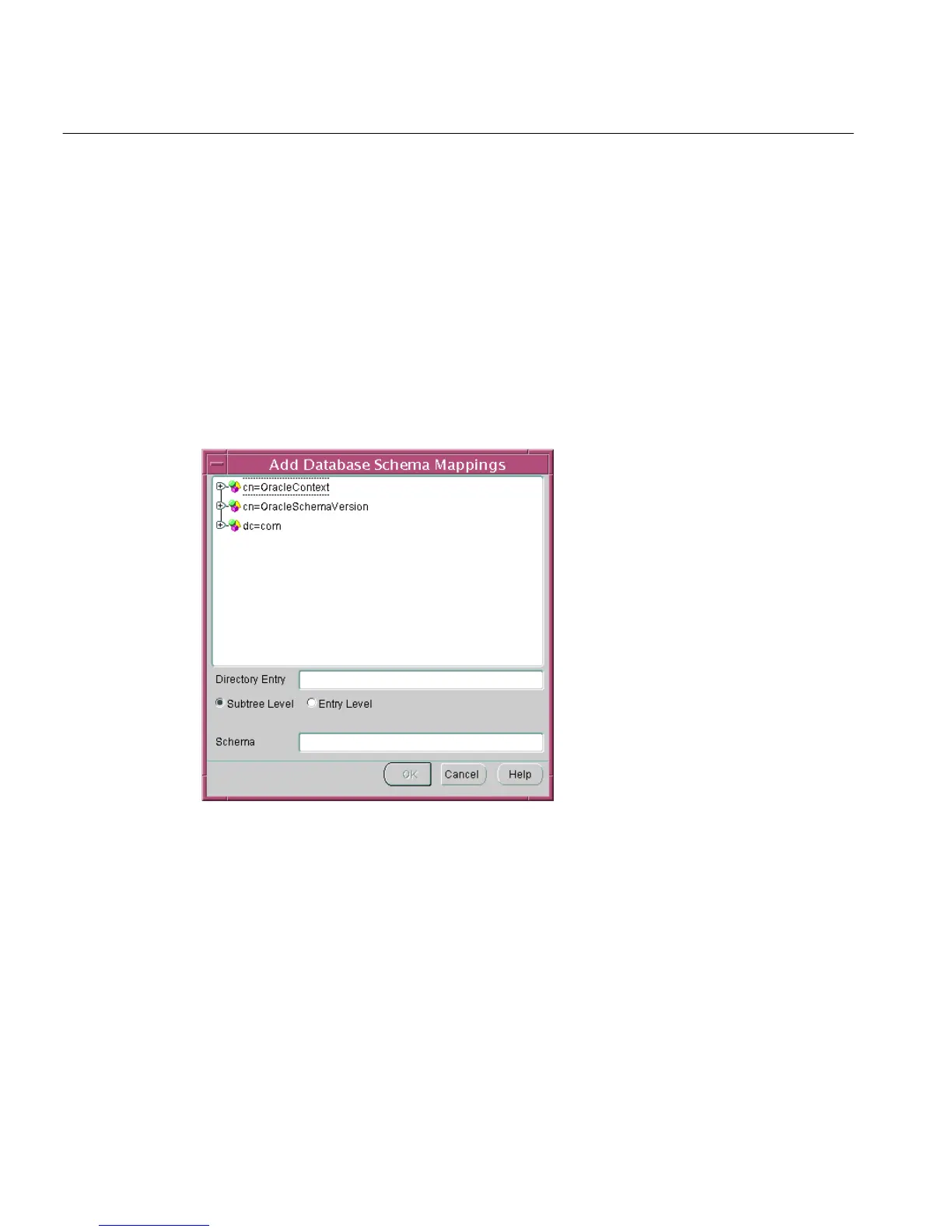
The Add Database Schema Mappings window appears (Figure 13–9). Use this
window to locate and select a base in the directory and pair it with a database
schema name, to make a database schema mapping. There are three
components to the window: there is a directory search tree from which to select
the user's DN or the base of users, the option to choose either subtree-level or
entry-level mapping, and a field in which to enter a schema name.
Figure 13–9 Enterprise Security Manager: Add Database Schema Mappings Window
2.
Navigate the directory to select a desired entry as a base for the database
schema mapping. This can be any directory entry but should be either the
actual user (entry-level) or located above the subtree of users to be mapped
(subtree-level). You can also edit the contents of the Directory Entry field in this
window to manually define the base.
3. Choose the mapping type: Subtree Level or Entry Level. Note that
subtree-level mapping is usually the most useful.



 To Next Page