Public Key Infrastructure Credentials Management Tools
Configuration and Administration Tools Overview 2-7
■ (UNIX) From $ORACLE_HOME/bin, enter the following at the command line:
owm
■ (Windows) Choose Start > Programs > Oracle - HOME_NAME > Integrated
Management Tools > Wallet Manager
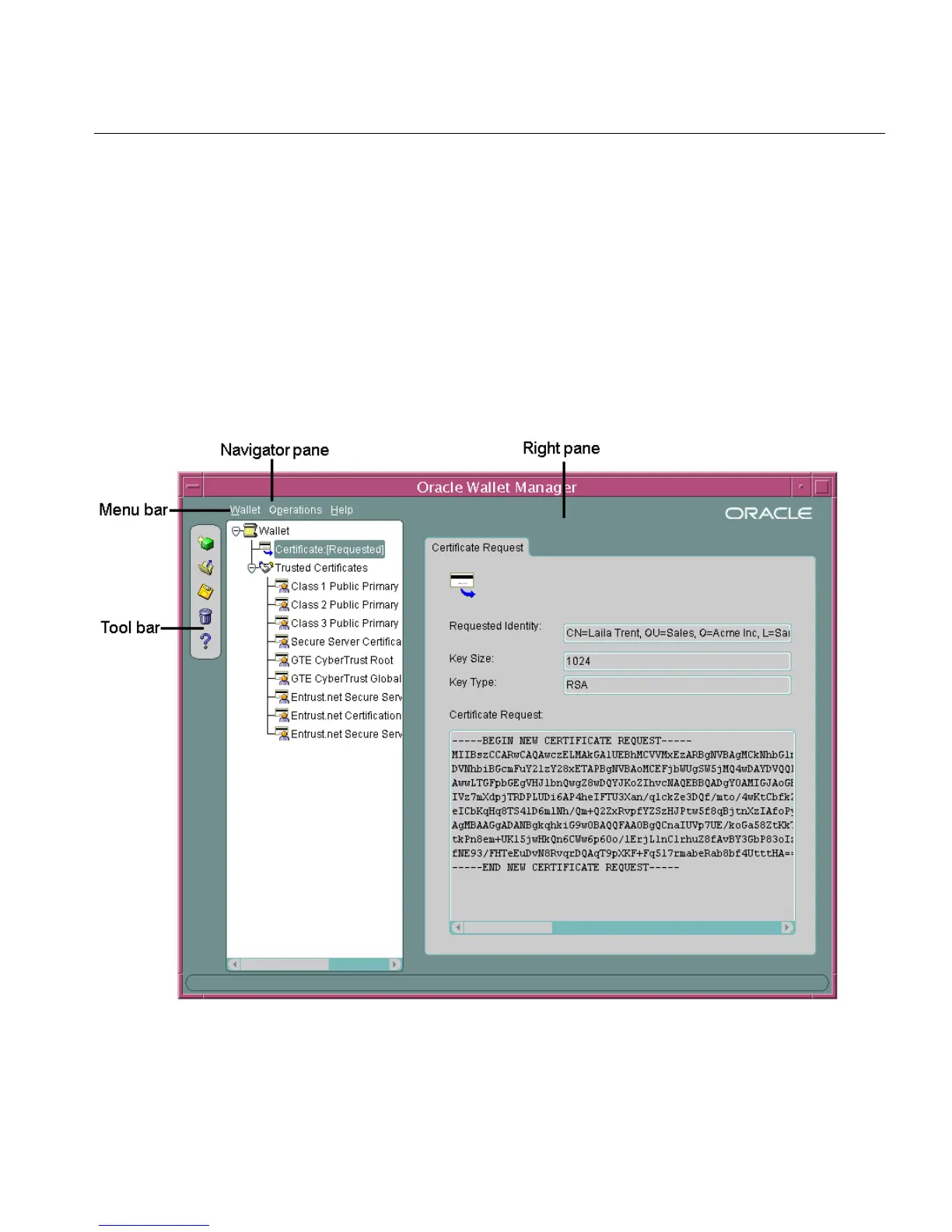
Navigating the Oracle Wallet Manager User Interface
The Oracle Wallet Manager interface includes two panes, a toolbar, and various
menu items as shown in Figure 2–2.
Figure 2–2 Oracle Wallet Manager User Interface



 To Next Page